Search the Community
Showing results for tags 'animations'.
-
Darkmod underutilizes, in my opinion, capabilities for procedural animation. We already do some, like the random head and torso turns that are added on top of existing animations. There's also possibility for separate animation for top and bottom of the character as well as head. There's a missing opportunity for varied facial expressions. I talked about animation blending in this thread. Here's something that for example Thief: Deadly Shadows did. It's swaying side to side while turning. I used Gemini to add code to the tdm_ai_base.script. I don't know if this is the most efficient way of doing it, probably not. Here are the parts added: Gemini came up with the term "banking" which is used in car racing. I don't know if that's what it's called in animation or games. There's a lot of variables that can be tweaked. You can rotate this way any bone you wish. I use 'Origin', 'Spine_Dummy' and 'Neck' bones: You can tweak amount of rotation for each bone. setJointAngle(m_bankingJointHandle, 1, jointRotation * 1); setJointAngle(m_bankingJointHandle1, 1, jointRotation * 0.6); setJointAngle(m_bankingJointHandle2, 1, jointRotation * -1.5); There's also global intensity: (targetBanking = deltaYaw * 1.4;) and attenuation: m_bankingCurrentValue = (m_bankingCurrentValue * 0.95) + (targetBanking * 0.05); modifiers. Gemini also proposed to add an LOD system, which I thought was a great idea. So currently at a distance of 1500 from player the swaying will be disabled. Here are examples, each with slightly different values: And here's comically exaggerated one:
-
I mentioned that Thief 1 & 2 have a special animation that plays when player surprises the NPC. There was some work done in preparation for that mechanic in Darkmod. In tdm_ai_base.script file, there are lines referring to it: void Torso_Surprise(); void Legs_Surprise(); void ai_darkmod_base::Torso_Surprise() { PlayAnimationOnce(ANIMCHANNEL_TORSO, "surprise", 4, "Torso_Idle"); } void ai_darkmod_base::Legs_Surprise() { PlayAnimationOnce(ANIMCHANNEL_LEGS, "surprise", 4, "Legs_Idle"); When NPC spots the player they reset their animations for a split second before they start to search. I am under impression that they can see through walls. Do they see player's arm sticking out or something? AI vision set to "nearly blind": They can spot you when their had is turned around, even with AI vision set to "forgiving". I don't think NPCs communicate their state through barks well enough. They often don't say anything until they attack.
- 4 replies
-
- 2
-
-
- npc
- animations
-
(and 2 more)
Tagged with:
-
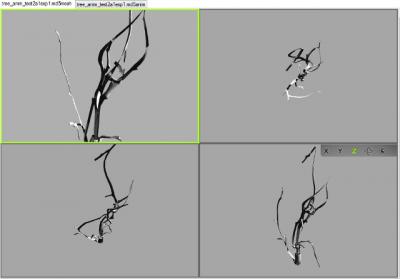
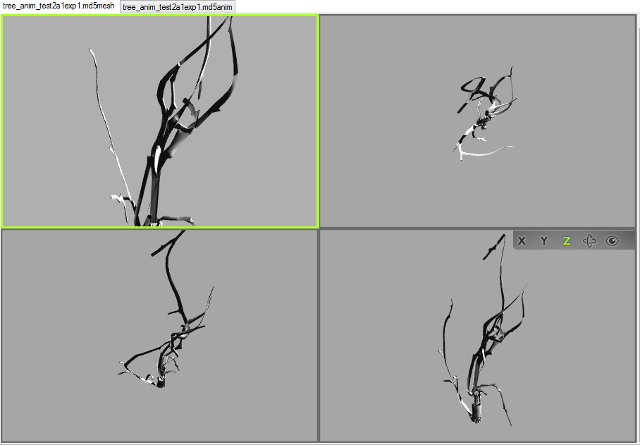
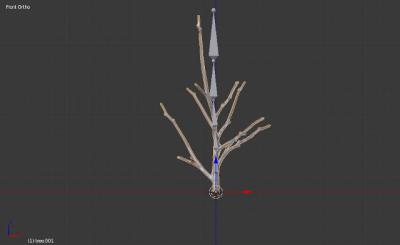
Hi, I thought I should document this discussion here, for future reference, as info on this subject has become quite scattered and out of date. I've been wrestling with MD5s for a while now with no success. Importing works but the meshes and armatures are problematic. I decided to start with an animated model from scratch. Followed a few instructions in videos or tutorials (most recently trying out Sotha's solution http://forums.thedarkmod.com/topic/14970-blender-rig-for-standard-male-npc/?do=findComment&comment=325423 ) but have yet to be able to export successfully. The animation oddly enough is working correctly (on the model viewer, havent gotten into the game yet), but the mesh itself is getting horribly deformed. Im using the io_scene_md5 importer/exporter. Going back to version 2.72 didnt solve it for me. In blender After exporting Any thoughts?
-
Hi all! Since ai animations are a bit unnatural and not fluent, been wondering how to got new ones? How it's done novadays - motioncapture?