Search the Community
Showing results for tags 'md5'.
-
Here's a .blend file with a Darkmod NPC rig: https://drive.google.com/file/d/1-odjc8A54ED5qgO7pA01Nr59U2_2jFmL/view?usp=sharing set up to be used with this motion capture animation pack https://www.rokoko.com/mocap/free-mocap-assets It's a stripped down version of this Blender rig. Exporting works the same way. For retargeting you'll need to install this addon: https://github.com/Mwni/blender-animation-retargeting It works in Blender 3.6 as well as 4.5. Animation playback of longer files is waaay faster in 4.5 but the drawback is that md5 file exporter won't work with anything newer than 3.6. This pack contains different skeleton standards. This setup was made for Mixamo which seems to be majority of files. Import .fbx file with scale 48, manual orientation: x forward to match the Darkmod skeleton. When selected, keyframes of the imported animation will be displayed. Select armature_control. In the retargeting addon tab (in right panel), in 'Source' box choose the imported skeleton name. Load config file: Darkmod_male_NPC_mocap_Mixamo.blend-retarget This should pair up both skeletons. First frame in animations is a t-pose. Proper animation starts at frame 2. Typically animations start offset from the center. You can move the character to the center at the start of the animation simply by dragging armature_control object. Similarly, character model may be slightly below ground level. Move armature_control up to adjust. Origin bone in tdm_ai_proguard has constraints to follow the pelvis. Otherwise it would stay in center. Here's what happens when origin bone stays in the same place. This is idle animation playing: And here's what happens when origin bone follows the character: I found that in order to match imported skeletons I had to bend darkmod skeleton forward a little bit. That pose is saved as "tpose_mixamo" single frame animation. I don't guarantee that this is the best way you can do it. Perhaps skeletons could be matched in a more ideal way. Remember that there are bones for clothing in Darkmod, that aren't in the motion capture files and need to be animated by hand :)
- 16 replies
-
- 4
-
-
-
- motion capture
- blender
-
(and 4 more)
Tagged with:
-
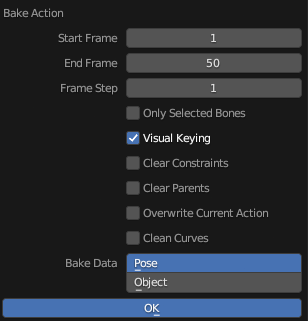
EDIT: Here's a script that exports smaller md5anim files and doesn't require baking: I tested this addon for importing and exporting md5.mesh and md5.anim in Blender: https://github.com/KozGit/Blender-2.8-MD5-import-export-addon It works with Blender 3.6.15 which is the latest version in the 3.0 series. It doesn't work with Blender 4.2. It seems that the culprit is the change in the 4.0 series from bone layers to bone collections. Here's an updated .blend file with male NPC animations. .blend file with a female model Like before: use armature_control to animate the model when you're done, select the tdm_ai_proguard armature object and Bake Action to Pose; select Visual Keying for the exporter to work you need to select both the tdm_ai_proguard and a mesh object that's being animated, e.g. proguard_armor
-
I continue the work on the animations with the new Blender rig. Walkcycle: http://www.youtube.com/watch?v=nozToZMIFR8&feature=youtu.be It's only 2 frames shorter than current animations, so it's rather similar to walk1.md5anim now.
-
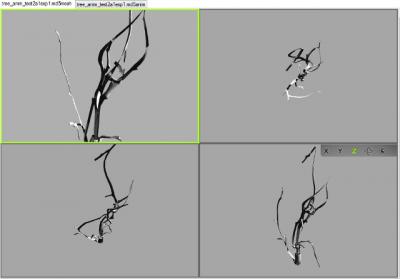
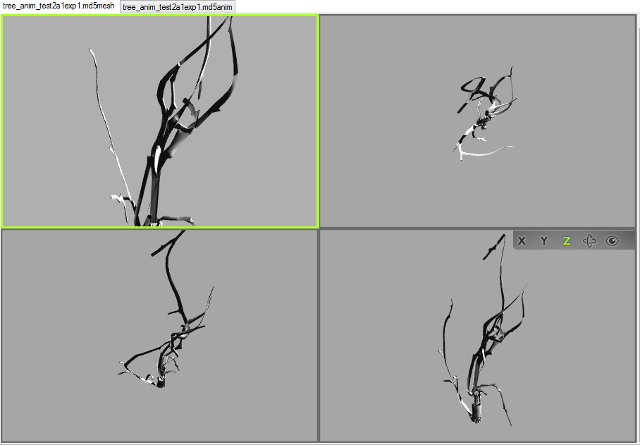
Hi, I thought I should document this discussion here, for future reference, as info on this subject has become quite scattered and out of date. I've been wrestling with MD5s for a while now with no success. Importing works but the meshes and armatures are problematic. I decided to start with an animated model from scratch. Followed a few instructions in videos or tutorials (most recently trying out Sotha's solution http://forums.thedarkmod.com/topic/14970-blender-rig-for-standard-male-npc/?do=findComment&comment=325423 ) but have yet to be able to export successfully. The animation oddly enough is working correctly (on the model viewer, havent gotten into the game yet), but the mesh itself is getting horribly deformed. Im using the io_scene_md5 importer/exporter. Going back to version 2.72 didnt solve it for me. In blender After exporting Any thoughts?