Jump to content
The Dark Mod Forums

Arcturus

Development Role
  • Posts

    2160
  • Joined

  • Last visited

  • Days Won

    106

Everything posted by Arcturus

  1. NPCs play various idle animations on their torso channel while they are walking. They are listed in tdm_ai_humanoid_newskel.def // Animations only playing on the torso channel. Applicable anytime. "idle_animations_torso" "idle_cough,idle_nosewipe_short,idle_cough02,idle_armwipe,idle_arm_scratch,idle_sneeze,idle_adjusting_belt,idle_eat,idle_spit,idle_stretch,idle_check_hand" Perhaps there might be some animations that could be on that list but currently aren't. Some NPCs have animations swapped in their def files. For example builder priest plays "idle_shifting2" instead of "idle_nosewipe_short", and "idle_shifting1" in stead of "idle_spit", and hands don't move in those animations. This looks bad in game: Edit: I thought "idle_spit" looks bad, but it's rather short. It's those "shifting" animations which serve as replacement for other anims that are causing problems.
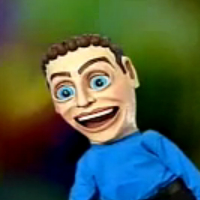
  2. Created an animation testing some expressions. Unfortunately some Darkmod NPCs had undergone botox injections and can't emote very well. BTW, isn't that the guy from Doom 3?
  3. I wanted to see if you can have more then one idle animation for a head just like there are for the body. I quickly made several md5.anim files and added them to a list in tdm_ai_heads.def anim idle models/md5/chars/heads/npcs/head_idle.md5anim anim idle1 models/md5/chars/heads/npcs/head_idle_1.md5anim anim idle2 models/md5/chars/heads/npcs/head_idle_2.md5anim anim idle3 models/md5/chars/heads/npcs/head_idle_3.md5anim anim idle4 models/md5/chars/heads/npcs/head_idle_4.md5anim They are all just 2 frames long, except the one with the open mouth which is 12. It takes a lot of time to cycle through them. Did you know that TDM head has two joints for the tongue alone? It seems like a new animation is picked at random only after NPC says something?
  4. We shouldn't turn off animation blending. Without it there's annoying jump from one animation to another. We need more blending, not less. Let's do a different hack. The problem is that origin bone rotation is driven by code and it finishes rotation in 1/3 of a second. We can't make it significantly slower without messing up AI. My first hack was to simply make character move slower than origin. So the origin would finish rotation, stop and then the character would continue moving for the rest of the animation. But we can animate the origin bone too. Since we want the origin rotation to be longer, we can counter-animate it. So while the game code rotates it 90 degrees one way, we can apply rotation in the animation file the other way to counter it. So we end up with 90-60=30 degrees movement for 1/3 of the animation. Then when the code stops moving the origin, the animation file can continue rotating it for the remaining 60 degress. We end up with this stupid looking animation: In the game however origin now rotates for the whole duration of the animation (1 second). This is what it looks like with blending set to "0" in float delta = getTurnDelta(); if ( delta > 10 && hasAnim(ANIMCHANNEL_LEGS, "turn_left")) { animState( ANIMCHANNEL_LEGS, "Legs_TurnLeft", 0 ); } if ( delta < -10 && hasAnim(ANIMCHANNEL_LEGS, "turn_right")) { animState( ANIMCHANNEL_LEGS, "Legs_TurnRight", 0 ); } Here's with blending set to "4" (current Dark Mod default). There's some jerkiness. I applied some more tweaking in Blender to mitigate some of that: With blending set to "6": Those values in: animState( ANIMCHANNEL_LEGS, "Legs_TurnLeft",4 etc., they seem to drive only the "ease in"? I'm a little confused about how they work.
  5. Version 1.4 came out. Here's how easy it is to make a texture these days. You can use program like this to make a basic layout and then just ask Google to make the rest.
  6. Slowest "turn_rate" in tdm_ai_humanoid.def that doesn't break combat seems to be around '135". This is what it looks like with animation that matches the rotation exactly without any workarounds: Blending set to "4".
  7. All consecutive animations get blended together. You can change duration of transition in frames. It's the number after comma. For example: animState( ANIMCHANNEL_LEGS, "Legs_TurnLeft", 18 ); There are hundreds of those and changing some of them may break things of course. E.g. combat animations. Although at "18" combat seems to work. Here's a slightly lower number (18 frames). The randomly played idle animations are blended a lot more smoothly while NPCs walk too. Also the random head and shoulder turns that are driven by code.
  8. While I was trying to fix the 'turning' animations, I experimented with different values in tdm_ai_base.script file. Here's what it looks like when blending between animations is set to 24 frames. I I replaced all values in the file wholesale.
  9. Uploaded to repository. Blender's md5 exporter writes ton of unnecessary data, hence md5.anim files exported from Blender are multiple times heavier than needed. I wonder how that affects animations that are driven by code, like in this case.
  10. Notice that NPCs falling to their death make no sound at all. They not only don't scream, but also make no sound when hit the ground. When player drops a body on the ground there is a sound, so it's weird that when NPCs fall on their own there isn't any. Finished new "idle_turn_90" left and right animations. I had to set blending to "0" in tdm_ai_base.script file in section: void ai_darkmod_base::Legs_Idle() animState( ANIMCHANNEL_LEGS, "Legs_TurnLeft", 0 ); animState( ANIMCHANNEL_LEGS, "Legs_TurnRight", 0 ); With current blending set to 4 frames it looks like this: It's still buggy, but I don't know how to improve it further. Origin bone is driven by code. There is also some code that synchronizes legs and torso. Theoretically you could set different blending for torso and legs but I don't know how. I can commit those changes and let people test it.
  11. Update 2: fixed position of the head. Update 3: Added 'Copy Rotation' constraint to origin bone in tdm_ai_proguard, in addition to 'Copy Location'. Those can be turned off if needed.
  12. Small update: added copy rotation constraint in head bone in head_old_man_MD5_Armature.
  13. Here's a .blend file with a Darkmod NPC rig: https://drive.google.com/file/d/1-odjc8A54ED5qgO7pA01Nr59U2_2jFmL/view?usp=sharing set up to be used with this motion capture animation pack https://www.rokoko.com/mocap/free-mocap-assets It's a stripped down version of this Blender rig. Exporting works the same way. For retargeting you'll need to install this addon: https://github.com/Mwni/blender-animation-retargeting It works in Blender 3.6 as well as 4.5. Animation playback of longer files is waaay faster in 4.5 but the drawback is that md5 file exporter won't work with anything newer than 3.6. This pack contains different skeleton standards. This setup was made for Mixamo which seems to be majority of files. Import .fbx file with scale 48, manual orientation: x forward to match the Darkmod skeleton. When selected, keyframes of the imported animation will be displayed. Select armature_control. In the retargeting addon tab (in right panel), in 'Source' box choose the imported skeleton name. Load config file: Darkmod_male_NPC_mocap_Mixamo.blend-retarget This should pair up both skeletons. First frame in animations is a t-pose. Proper animation starts at frame 2. Typically animations start offset from the center. You can move the character to the center at the start of the animation simply by dragging armature_control object. Similarly, character model may be slightly below ground level. Move armature_control up to adjust. Origin bone in tdm_ai_proguard has constraints to follow the pelvis. Otherwise it would stay in center. Here's what happens when origin bone stays in the same place. This is idle animation playing: And here's what happens when origin bone follows the character: I found that in order to match imported skeletons I had to bend darkmod skeleton forward a little bit. That pose is saved as "tpose_mixamo" single frame animation. I don't guarantee that this is the best way you can do it. Perhaps skeletons could be matched in a more ideal way. Remember that there are bones for clothing in Darkmod, that aren't in the motion capture files and need to be animated by hand :)
  14. I updated the mesh and head position in the def file. It was looking good with animations currently in Dark Mod, but with those motion capture anims the bottom parts were sticking like crazy. The only reliable way to hide the seam would be to add neck cloth though.
  15. In VR a game needs to run at very high resolutions and framerates to be comfortable. They are clearly targeting standalone headsets, rather than PCs, hence the low resolution textures and painterly mobile style graphics. Half-Life Alyx looked great, but loading times were long. At least they are not pretending they are making AAA game. It's not a Thief game of my dreams, but it looks fun enough.
  16. @I.C.H.I. I apologize for my little rant. I take back what I wrote. Turns out, mocap is easy after all Animations come from: https://www.rokoko.com/mocap/free-mocap-assets Retargeted in Blender using this addon: https://github.com/Mwni/blender-animation-retargeting I took my Blender rig for darkmod NPCs and stripped away all constraints. For this demo I used .fbx from the pack with Mixamo skeleton, and manually set up the bone mappings. I made a separate thread. Yeah I know I think I will prepare those new animations and let other people decide if that's enough.
  17. I uploaded "walk.md5anim" animation with fixed elbow issue mentioned here. I managed to completely fix chain clipping on priest's model: This character's coat is still slightly clipped. "walk1" for comparison: There are 8 joints in the skeleton for animation of coats.
  18. @I.C.H.I. What I wrote in the previous post would apply to motion captured animations too. In the end they are just a bunch of keyframes, not magic. You'll be happy to hear that we already have one mocap animation in game already: It's so heavily edited though that it might as well be original. Motion captured anims still need to to be heavily edited. They generally need to start and end on the same pose, unless you're doing a cut scene. Animations need to fit arbitrary criteria set by the game, like a predetermined speed. I was told for example that running needs to feel like sprint, when actual in game speed is that of a jog. Current TDM skeleton is different from a typical standard animation skeleton. It was made in a proprietary software and it took me a lot of effort to retarget it to a rig in Blender. I made it based on imported md5mesh file. Perhaps retargeting the original rig inside Maya would be an easier task. A lot of bad animation is driven by game systems. The reason why NPCs will sometimes rotate 180 degrees while playing some idle animation is just bad code. The reason why rotating animations look like shit at the moment is because origin bone is driven by code and the speed simply doesn't match the animations. Well that and the animation is horrible. Changing rotation speed in code breaks combat, so I'm trying to make animation that matches the code, which is a hack. Feet still slide because of blending. Without blending it looks like this: There's still some jittering going on. Any idea why? For details I invite you to internal development forum. Another example is combat where torso and legs are independent. Combined with crappy animations it makes probably for the most robotic looking part of the game. A lot of it is just bad art. The default idle animation is just crap. The pose is unnatural, weight is placed on the leg that has a bent knee and is moved back and on top of it has a weird rotation. That's not a relaxed pose, but because it's the default, all other animations need to start and end with it. At least the mechanical looking sway of the idle anim à la Mortal Kombat could be fixed at some point. Ideally all characters should be ported to a standard rig like Rigify or Blenrig. The rigging itself wouldn't even be the worst part for me. It's setting up .def files and articulated figures (AF) that's the most tedious part. You're expecting a lot from a community who refuses to switch to high dynamic range rendering, even though that shit is already implemented in the game waiting to be used. I might experiment with mocap more at some point, but I encourage you to try it on your own. When I started working on this mod I new nothing about 3d graphics. Three years later I had a horse completely modeled, textured, animated and with proper rag doll in the game.
  19. Currently there are two basic "walk" animations that game picks at random. Walk1.md5anim wasn't made by me. When game switches from idle animation to a walk animation there's certain number of frames when the game blends between the two. Because that particular animations starts at the most extreme pose... ...when animation starts, the right leg quickly slides back: Simply shifting the cycle so that animation starts at a different pose... ... results in a less jarring transition:
  20. That's the list of files: /trunk/dds/models/md5/chars/undressed /trunk/dds/models/md5/chars/undressed/undressed_old_man_01.dds /trunk/dds/models/md5/chars/undressed/undressed_old_man_01_hair.dds /trunk/dds/models/md5/chars/undressed/undressed_old_man_01_s.dds /trunk/def/tdm_ai_heads.def /trunk/def/tdm_ai_undressed.def /trunk/materials/tdm_ai_undressed.mtr /trunk/models/md5/chars/heads/npcs/head_old_man_01.md5mesh /trunk/models/md5/chars/undressed /trunk/models/md5/chars/undressed/tdm_ai_undressed_old_man_01.md5mesh /trunk/models/md5/chars/undressed/undressed_old_man_01_hair_local.tga /trunk/models/md5/chars/undressed/undressed_old_man_01_local.tga
  21. @kingsal https://svn.thedarkmod.com/svn/darkmod/trunk Is there a parallel development going on that I'm not aware of?
  22. I added forceoverlays keyword to hair material which fixed it. I noticed that a lot of clothes on NPCs do not spawn blood decals. I uploaded the old guy to repository. I created new .def and .mtr files. It can be moved if needed. I copied nobleman's definition. Some idle animations don't fit the character, like adjusting belt or eating peanuts so that needs sorting out. I uploaded 2048x2048 texture, figured it will be enough. I can upload 4096x4096 if needed.
  23. @chakkman Last year I borrowed vr goggles for couple of weeks and finished HL: Alyx. Also played some HL 2 vr mod and Dark Mod vr. In my mind Thief in vr makes perfect sense. If Dark Mod had support for vr controllers and additional option to teleport it would be perfect.
×
×
  • Create New...