
grodenglaive
-
Posts
485 -
Joined
-
Last visited
-
Days Won
19
Everything posted by grodenglaive
-
Congrats on the release, looking forward to playing it!
-
here's the repaired model: garden_shed.pfbx
-
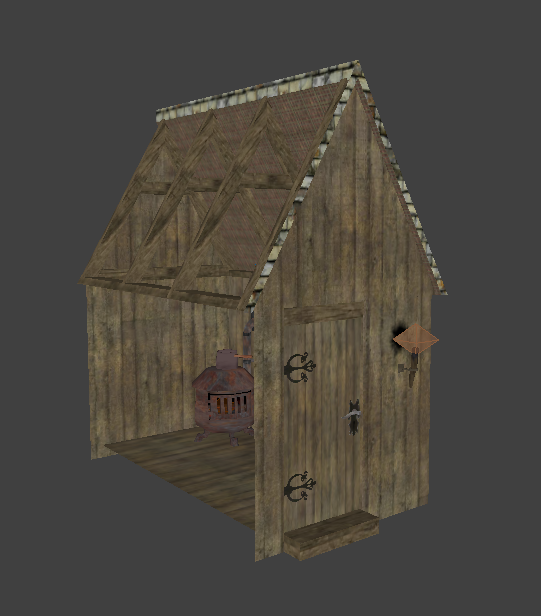
The garden_shed prefab under buildings_and_facades. It's missing the textures on the left side of the shed. They are caulk for some reason, so the brushes are invisible from the outside. Also there is z-fighting.
-
Maybe that the portalsky was not set up correctly. Do you have an "info_portal" sky entity in you map that is surrounded by a cube having your sky texture? Is it working on other brushes? Or maybe the dmap failed and it is just showing your previous map when you run the game?
-
Wonderful map. Brutally difficult on "difficult", which of course I like. I'm curious if the mission is any easier at the lower difficulty settings or if it only changes the loot objective. I only managed 4048, so clearly I missed a lot! I only really got frustrated when I ended up using noclip, which I have never done before. I replayed that bit with the gamma turned up after reading another player's post. I found the way, so I could finish without resorting to cheating Thanks for the great mission! [EDIT] I went back in and found I missed ended up with 7088. Well worth retracing my steps for that.
-
I have to agree. I've had few issues blackjacking in TDM aside from occasionally hitting a low ceiling or overhanging structure.
-
Fan Mission: "The Last Night on Crookshank Lane"
grodenglaive replied to Jnon's topic in Fan Missions
That was an excellent mission. A big beautiful city, nicely detailed and interesting map. I particularly like the way you modeled the streets. There were some nice tricky parts that were challenging and fun to get through. No doubt I missed a few things, but I managed to leave with 9148 in loot in just under 5 hours. Just a minor disappointment when -
Fan Mission: "The Last Night on Crookshank Lane"
grodenglaive replied to Jnon's topic in Fan Missions
congrats on the release! -
Nice assets, thank you.
-
Fan Mission: A Winter's Tale by Bikerdude (2024-11-30)
grodenglaive replied to nbohr1more's topic in Fan Missions
Maybe there was, but that's asking too much of my memory -
AI and elevators are driving me crazy
grodenglaive replied to grodenglaive's topic in TDM Editors Guild
Despite getting it somewhat working in the test map, that didn't translate to my fm. The AI still refused to get on or even press the call button. I had given up and removed their paths involving the elevator. Recently, the AI have started using the elevator on their own! During mission testing yesterday, I had caused a ruckus on the first floor and was surprised when an AI rode up from basement to join the fight. I wonder if the 2.13 update has fixed something? -
So, what are you working on right now?
grodenglaive replied to Springheel's topic in TDM Editors Guild
- 9202 replies
-
- 16
-

-

-
I would define that as complicated
-
The EAX system in TDM is complex to edit, but it does have simple to use presets for different room types (which is likely what most mission authors use, me included). I agree that the reverb is exaggerated in a lot of the presets. Unfortunately there's no easy way to tone it down when you use presets. They are either on or off.
-
Wishlist For Darkradiant
grodenglaive replied to sparhawk's topic in DarkRadiant Feedback and Development
thanks, I didn't know about that -
Wishlist For Darkradiant
grodenglaive replied to sparhawk's topic in DarkRadiant Feedback and Development
I'm not sure what it's called, [window sensitive mouse position?] but if would be cool if DR knew which Window you intended to work in without having to click on it first (like the way Blender handles it). For example: currently, after editing Entity properties, you move the mouse over to the Build window and hit ctrl-tab to change the view, but instead it just scrolls the property tabs, because you forgot to click the window first. I do this all the time and it drives me crazy. The other problem with having to click the window is sometimes you inadvertently move an entity or make a brush. -
Ahh, maybe your right. I didn't read the wiki very well either:) I just assumed it would work to simply modify the light entity. I don't think many fm devs would bother with custom shaders just to adjust the blinking lights. Oh well.
-
I just saw this while looking up something else: https://wiki.thedarkmod.com/index.php?title=List_of_shaderParm_variables add the shaderParm4 spawnarg to the lights and vary the value between the lights from 0 to 1 to offset their flicker. Seems like an easy fix for new missions. Unfortunately, I just tested it and it doesn't seem to have any effect at all.
-
-
AI and elevators are driving me crazy
grodenglaive replied to grodenglaive's topic in TDM Editors Guild
Yes, it's pretty crazy. -
AI and elevators are driving me crazy
grodenglaive replied to grodenglaive's topic in TDM Editors Guild
stopped at the 3rd floor this time -
AI and elevators are driving me crazy
grodenglaive replied to grodenglaive's topic in TDM Editors Guild
wait, here it is with the handy tdm_ai_showelevator debug. This time we're stuck on the second floor. So it looks like it's telling him to get off the elevator, but the destination is not updating.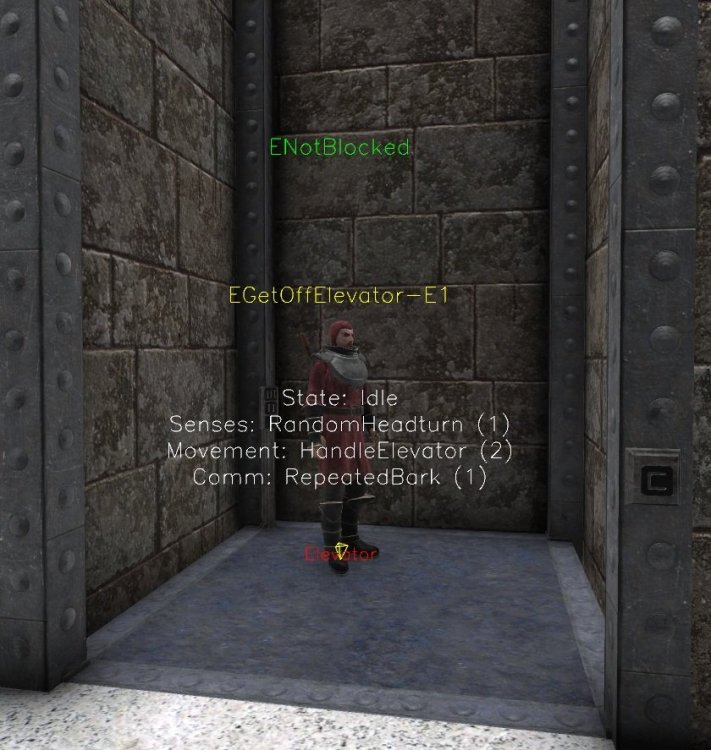
-
AI and elevators are driving me crazy
grodenglaive replied to grodenglaive's topic in TDM Editors Guild
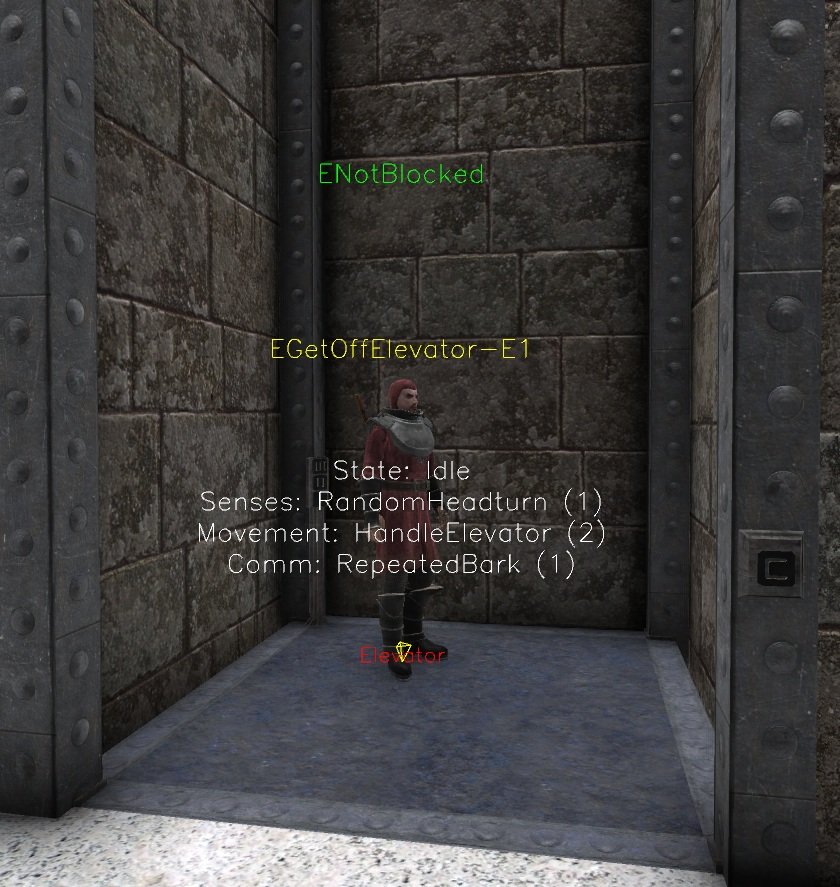
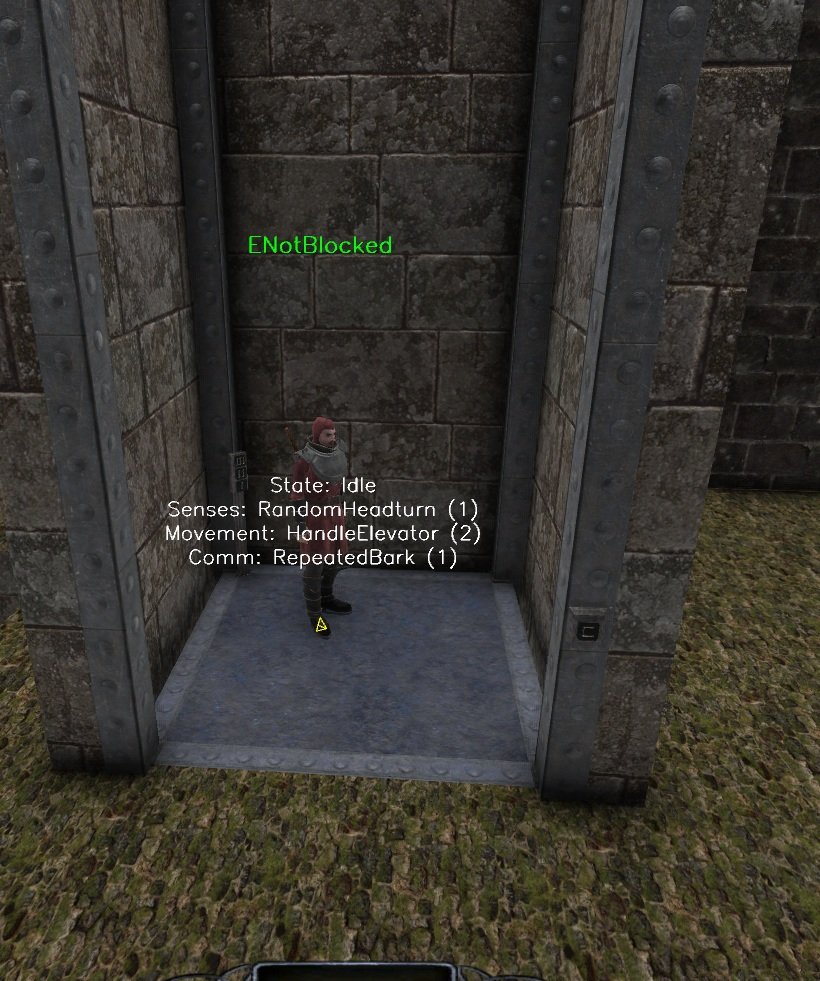
Here he is stuck on the elevator at the bottom floor. The yellow pyramid by his foot indicates to me that his destination (which should be outside on the floor landing) did not update when the elevator reached the floor. Normally the pyramid immediately jumps to the next destination each time he arrives.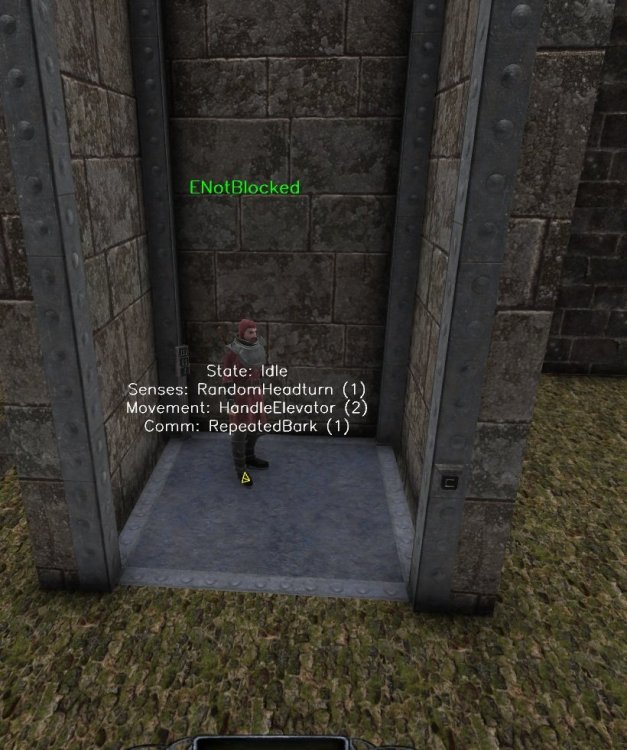
-
AI and elevators are driving me crazy
grodenglaive replied to grodenglaive's topic in TDM Editors Guild
Thanks, no I didn't know about those. I'll check them out. -
AI and elevators are driving me crazy
grodenglaive replied to grodenglaive's topic in TDM Editors Guild
OK, I've got it mostly working on the test map. The grid snapping checked out, but I foolishly made a mistake in the path corner targets, so the 2nd floor was legitimately being skipped. The AI will now ride from floor 1 ->2 ->3 and back down 3 ->2 ->1. One remaining hurtle is the AI should repeat this loop indefinitely in this test, but occasionally he will stop at a random floor and not get off the elevator or continue. This could happen during the first loop or it could be several before it fails. Each dmap turns out differently. It seems like a bug. (wow, youtube really butchered the playback quality!)