Search the Community
Searched results for '/tags/forums/new models' or tags 'forums/new modelsq=/tags/forums/new models&'.
-
How you can help depends a lot on what skills you have. I can Record Video Recording "Let's Play" videos or simple walkthroughs of existing missions and posting them to Youtube is great exposure for the mod (see example .) Be sure to let us know so we can link to them. If you have some editing ability, Video tutorials, where you explain how the mod works, or how to use specific tools, would also be great. Video trailers, showcasing interesting places and features, are also great for publicity. An example is . I can Write Writing reviews for missions are always nice, especially if they include good screenshots. Not only does it give us something to post on other forums, but it makes mappers feel good when their mission gets attention (especially if it's positive). We have a collective thread to post reviews in: http://forums.thedar...s-walkthroughs/ Writing reviews of the mod as a whole, targetted an an audience that doesn't know much about TDM, is also very useful. You could also try offering your services to mappers to create interesting readables, or to proofread for their mission. I can Act and Record Audio We are always on the lookout for good quality audio recordings for vocal sets. If interested, you can pick a few different lines from this script: http://wiki.thedarkm...t:_Average_Jack and send the recordings to Springheel, who then writes a script based on the type of voice you have. I can Translate We could always use translations of our menu/hud into more languages. Also, only a few FMs are aavailable in more than one language, so there is a lot of work there, see the I18N Translator's Guide in the Wiki. I can Model Great! Take a look at the model request thread:http://forums.thedar...-requests-here/ and pick something that interests you. Or just post a, "Hey, anybody want a model?" thread in this forum and I'm sure mappers will get back to you. I can Animate Fantastic. We can always use more good animations. Our current character rigs use a Maya skeleton. PM Springheel for more info. I know C++ Have a look at our coding section in the wiki, pick an issue or feature from the bugtracker of the mod or the leveleditor, download the recent sourcecode release (or better ask for an SVN checkout) and get cracking. Make sure nobody is already working on that specific issue and feel free to ask questions. I can Edit Images We can always use completely new textures and/or improved versions of older textures. How to get started and how to import them into the mod. I can Take Photos Good quality photos of useful textures (medieval-ish building facades, dirt, rocks, wood, etc) are always welcome. The fewer directional shadows and higher resolution, the better. I don't have any skills Even if you can't do any of the above, you can still help out. Talk about TDM in other forums; share your (preferably positive) experiences with other gamers you know. Last, but not least, compliment people when you like their work. Saying "thanks", to a developer or, "I really enjoyed your mission" to a mapper will make their day. -------------------- I'll update this further as more things occur to me.
-
 <iframe width="560" height="315" src="https://www.youtube.com/embed/wJeDZUHzlrY?si=NwmAzApBwdWeqJgd" title="YouTube video player" frameborder="0" allow="accelerometer; autoplay; clipboard-write; encrypted-media; gyroscope; picture-in-picture; web-share" referrerpolicy="strict-origin-when-cross-origin" allowfullscreen></iframe> Works with all existing fan missions toggleable new climbing mechanic for mappers weapons, bows, item physics, inventory, door physics, lockpicking and more overhauled for VR controllers work in progress(open to ideas): -a small motel room for main menu and mission selection, missions come in envelopes as if gigs from contracts -Enemy AI overhaul to introduce more unpredictibility and personality to guards -a medieval skyscrapper raid mission for demonstrating climbing mechanics
 -
 I uninstalled my old 3.1 Dark Radiant and did a fresh new install of 3.9.0. I created a new empty map in DR via "new" and then saved it into my "fms" folder. However after loading up, as soon as I click into one of the 4 grid views it just crashes under Windows 10. Also I tried to manually open it via "file > open" but that throws an error "failure reading map file" "Unable to parse map version (parse exception)" AMD Ryzen 5 3600 6-Core Processor 3.60 GHz RAM 32,0 GB AMD Radeon RX 7900 XT (20 GB) Windows 10 x64
 -

Fan Mission: Scroll of Remembrance, by MirceaKitsune (03/11/2020)
chakkman replied to MirceaKitsune's topic in Fan Missions
ThiefGuild has some tags: https://www.thiefguild.com/fanmissions/?advanced_search=&series=&collection=&table=&page=&works=&work_lists=&sort_by=newest&search=&games=5&released_from=all&released_to=all&genre=all&original_games=fms Not sure how complete or accurate those are, after all either the author or users add the tags to the missions. -
I don't know who has what skillset, as I am still pretty green on the forums. However, I do know that shader development does require some voodoo black magic! I understand the fundamentals of shaders, but understanding the basic how and why is very, very different from creating them.
-
Revelator, Zerush: I remeber when Mircea Kitsune was banned. I saved the Xonotic vote page to the internet archive, but can't remeber the URL: What I do remeber is this: 1) First Havok (AKA: Forest Hale, IIRC) from Darkplaces banned Mircea because of some twitter opinion Mircea wrote three years prior. This is after Mircea work on code for Darkplaces for many years (for free). Havok then made an explicit rule in the opensource project banning everyone who expressed such views anywhere on the internet: they were banned from development and not wanted. It had to do with who one likes. Mircea was not allowed to like why they liked. Verboten in America. Mircea had programmed C for a Decade + for darkplaces. 2) Then Mircea fell back on Xonotic: and wrote about this on the blog. The feeling was "atleast I have this community that will not betray my kindness". He had programmed QuakeC for Xonotic/etc/whateveritusedtocallitself for a Decade; including great additions such as the code that makes better damage effects clientside. He also made 3d models to be used with Xonotic/etc and textures and everything else. Within a week, the head of that project: Divverent (AKA: Rudolf Polzer, IIRC) voted to ban Mircea because of his twitter opinion expressed 3 years prior: about who was liked/loved by Mircea. Verboten in America (and Germany (but less so)). The rest of the "heads" of that project also gleefully voted to ban and they happily stand by this decision to this day on their discord. 3) That crushed Mircea (according to the blog written) and this is the eventual result. In the past developers were never banned from opensource projects. I think that banning people who have contributed to an opensource project; directly their time, effort, and code; whereby the original understanding was "show us your code" "only code matters" etc; is a violation of a implicit agreement. I also think that banning them based off of speech they made; is an attempt to quell their speech; and a violation of their Federal Civil Rights. But that's just a theory. I also think the parents of Mircea Kitsune, in Romania, should be informed about the people who banned their child. It feels like a wrongful death to me.
-
For more info, read this topic: https://forums.thedarkmod.com/index.php?/topic/23261-i-made-full-vr-support-for-the-dark-mod-new-bow-climbing-mechanics-and-more/ He based his code of TDM VR, so I referred him to this topic.
-
For the people eager to play with the latest state of development, two things are provided: regular dev builds source code SVN repository Development builds are created once per a few weeks from the current trunk. They can be obtained via tdm_installer. Just run the installer, check "Get Custom Version" on the first page, then select proper version in "dev" folder on the second page. Name of any dev version looks like devXXXXX-YYYY, where XXXXX and YYYY are SVN revision numbers from which the build was created. The topmost version in the list is usually the most recent one. Note: unless otherwise specified, savegames are incompatible between any two versions of TDM! Programmers can obtain source code from SVN repository. Trunk can be checked out from here: https://svn.thedarkmod.com/publicsvn/darkmod_src/trunk/ SVN root is: https://svn.thedarkmod.com/publicsvn/darkmod_src Build instructions are provided inside repository. Note that while you can build executable from the SVN repository, TDM installation of compatible version is required to run it. Official TDM releases are compatible with source code archives provided on the website, and also with corresponding release tags in SVN. A dev build is compatible with SVN trunk of revision YYYY, where YYYY is the second number in its version (as described above). If you only want to experiment with the latest trunk, using the latest dev build gives you the maximum chance of success. P.S. Needless to say, all of this comes with no support. Although we would be glad if you catch and report bugs before the next beta phase starts
- 35 replies
-
- 15
-

-

-
 Nice work! Is there a build/code that other users can download and try? Please merge back the code with TDM VR, see topic: https://forums.thedarkmod.com/index.php?/topic/20468-the-dark-mod-vr-210-alpha-is-now-available/ === Reddit topic: link Video of JAKE's work:
 -
Phew, it's almost exactly been 3 years since my first post about my VR modification for TDM. Three more versions of the game have been released in the meantime, and with them come performance improvements that I feel it's finally viable to continue my work on the VR adaptation So without further ado, head on over to https://github.com/fholger/thedarkmodvr and grab the latest release. It's based on the future 2.09 version, but is fully compatible with a 2.08 install. Although I've tried to make the VR version use its own set of resources (separate `darkmod_vr.cfg` and shader folders), I'd recommend you make a backup or copy of your TDM installation to be able to get back to the flat version cleanly without effort. Please heed the README in the repository, particularly about the choices of VR backends. Some noteworthy information for this new version: performance should be considerably improved from the old alphas. That doesn't mean it's perfect - although the CPU bottleneck is now completely gone, the game is now severely fill-rate limited. So if you have a current-gen headset with high resolution and/or a weaker video card, forget about any supersampling or AA. I also strongly recommend to stick to stencil shadows and disable soft shadows and ambient occlusion - the latter isn't that impressive in VR, anyway, and simply not worth the GPU cost. And even then, there will be some scenes in some missions where reprojection is just unavoidable, even with the beefiest GPU. That being said, I have tried a multitude of maps, and I think it's very playable. the UI is finally usable! Both the menu and ingame HUD elements are projected to a virtual screen in front of your sitting position. It's not the most elegant or immersive solution for the HUD, but it works vertical mouse movement is excluded from the VR view - this was suggested by some of you way back, and I think it makes the experience much more enjoyable. It can make it a little hard, though, to aim with the mouse for actions like frobbing items, because there's currently no visual indication to where the mouse is pointing. I'm planning to add one asap, but in the meantime, you can equip a weapon to get a vague sense of your mouse orientation. If you do want to re-enable vertical movement in the view, set 'vr_lockMousePitch' to 0 in the console. Other than that, I hope you enjoy this new version. Let me know which improvements you'd like me to work on first. Also, there are probably any number of render and other bugs still left in there somewhere. If you find one, please report them over at the Github tracker (https://github.com/fholger/thedarkmodvr/issues), so I can keep track of them. Latest Update:
- 77 replies
-
- 18
-
-
-
Summary Greetings dear friends! To celebrate the tenth anniversary of the release of my FM, I have published a (hopefully) worthy update to it. Version 2 of my FM called "Sneak & Destroy" uses many new features that have been added to TDM over the years, fixes numerous bugs that were overlooked at the time, but the FM still remains true to the original one. So if you had problems playing this FM lately, if you never played this FM or if you wish to revisit a tiny but lovely part of the TDM history, this update is for you! Download the latest version via the in-game downloader and celebrate the past 10 years with me together! Improvements Visual improvements to city area and interior rooms Enriched the scenes with additional audio Fixed critical bugs that were introduced as TDM was updated Added triggered Conversations for NPCs Added EFX support to all areas Changed multiple aspects of the map in terms of better gameplay and progression Corrected and inserted new writings in books and notes Reduced amount of loot necessary to end mission Added lantern and looking glass to inventory Made use of new particle effects to enhance visual quality Screenshots Credits Thanks go to: bikerdude for being on call to bugfix and improve the map with me Dragofer for pushing ideas for scripting things jysk, Baal & datiswous for finding even the tiniest bugs Springheel for reintroducing me to DR after almost 10 years with his tutorials Greebo for working on the newest tools to update my rusty FM Grayman – I hope I made you a little bit proud Have fun! SeriousToni - 12.04.2012 - 17.11.2022
- 226 replies
-
- 7
-
-
- contest
- fanmission
- (and 2 more)
-
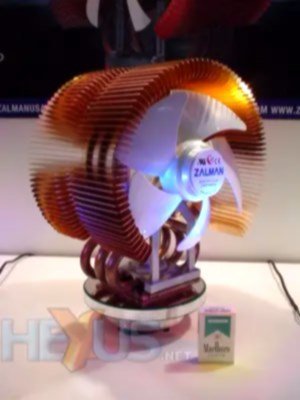
hmm if it is an amd the wraith spire cooler is pretty noisy and that one is not even that old . most zalman coolers i had over the years have been pretty silent so im not sure. there was a tower cooler from coolermaster at some point that was shaped like an X which was pretty noisy (fits both intel and amd) cooled pretty well though. the old intel push pin models could get loud if the cpu got hot. most modern coolers i have heard are pretty silent compared to the older models (developers got better at making the fans silent). hmm come to think of it the thermalright macho models could get a bit noisy at higher temperatures. EDIT: the thermalright fans are indeed pretty noisy on the older models (i have an lga2011 model) mostly because they spin rather fast > 2000 rpm on a 140mm. the macho model is pretty old but still sold as it still cools ok despite it being a single fan model on a tower that is close to the size of noctuas NH-D15S. this was one of zalmans older models
-
this was the wraith cooler that came with the 3900x https://www.overclockers.com/amd-wraith-cpu-cooler-review/ originally it was intended for the much older FX series but was updated to also cover ryzen (while it did ok on the older models it kinda stumbles on the ryzen). my friend gave it to me after he got a noctua NH-D15 which i bought for him because it overheated when he was gaming . does ok with older AMD models like bulldozer and such but it simply cannot keep up with the heat of the bigger ryzen models.
-
On a lighter note (and because my holiday started today, oh yeah!), let's have a new thread for music, that you just enjoy and probably is not so well known...or somehow obscure but does not sound as strange as the songs we report in @STiFU's progessive music thread. Here is one of my new favourites, a similar recording of this track by other artists has been used in an US show broadcasted last year ( @Amadeus: What is the name of the show? )
-
@nbohr1more Would you mind checking if the ingame downloader is reffering to the correct 2022 version? My local FM version says properly under "notes" that it is the updated 2022 version. However if you search for new missions and open the Sneak and Destroy notes there, it just says "Version: 5" "Beginner's contest entry 2012, ..." (I am not sure where the description comes from, but it should note that this is the updated 2022 version). If it is the correct version (number 5 seems to imply it), could the description maybe mention that this is the refined 2022 version? I had people asking about this issue, that's why it came onto me. Sorry if this feels like an ambush
-
Screenshots: Mission: Breaking out the Fence Version: 1.00 Released: 17/03/2014 Theme: City Author: kyyrma Testing and additional content: RJFerret, Airship Ballet, Goldwell Breaking out the Fence continues the story from my first FM In a Time of Need. The player once again takes the role of an anonymous Thief who is getting tangled with an organization called the League of Seafaring Merchants. This time you will be sneaking your way into an import shop down at the South Docks and getting your fence Terry out from a pinch you have indirectly got him into. Prior knowledge of the story is not strictly necessary, and the level works just as well as a one shot stand-alone mission. Note that the story briefing is quite long - if you don't appreciate walls of text in your game, all the relevant information is on the last page. However if you want to set the mood and enjoy a good tale of skullduggery then give it a read. The difficulty level is moderate to high, and compared to my last mission it is much larger. The average play time should be around 1 - 2 hours depending on how much you decide to explore the level. You will start the level with only a blackjack, compass, spyglass and a map. You have to find the rest of your equipment while on the job. If you can't find a pair of lockpicks, remember to keep your eyes peeled for keys! The only differences between difficulty settings are the objectives, with higher difficulties requiring either a no-kill or a full ghost playthrough. Injection needles have been made a loot item, so remember to pick them up if you are going for loot completition I've succumbed under peer pressure and decided to have a poll where you can rate the level, but I would really appreciate your comments as well! Please get back to me if you have any questions or critique regarding the mission. Help! I'm stuck! How do I find the key to the closed off area in the sewers? Download links: If the mission is not yet available from the in-game downloader, you can use the following link: Private mirror Installation: Drop breakingout.pk4 in you darkmod/fms/ folder Run TDM and select New Mission. Breaking out the Fence should now appear on the list of downloaded missions. Install and play. Known issues: AI pathfinding can be slightly erratic at times Outdoors can cause performance issues on low-end hardware Sleeping AI can glitch through the bed if KO'd or killed There remain some audio issues such as pop-in and incorrect sound propagation Thanks: My testers RJFerret and Airship Ballet for their invaluable input and help during the creation of the level Goldwell for providing his vocal talent for the characer Terry All the TDM devs for creating such a great game All the people who have answered my newbie questions at the Editor's Guild
-
void R_HardwareOcclusion (void) { int i; entity_t *ent; int numOccluded = 0; float mins[3]; float maxs[3]; byte boxindexes[] = { 0, 1, 2, 3, 4, 5, 1, 0, 3, 2, 6, 7, 5, 4, 7, 6, 1, 5, 6, 2, 4, 0, 3, 7 }; float boxverts[24]; // disable texturing glDisable (GL_TEXTURE_2D); // because we don;t know the orientation of the bbox in advance... glDisable (GL_CULL_FACE); // disable framebuffer and depthbuffer writes glColorMask (GL_FALSE, GL_FALSE, GL_FALSE, GL_FALSE); glDepthMask (GL_FALSE); glEnableClientState (GL_VERTEX_ARRAY); glVertexPointer (3, GL_FLOAT, 0, boxverts); for (i = 0; i < cl_numvisedicts; i++) { ent = cl_visedicts[i]; // don;t bother with these are they're included with the world if (ent->model->name[0] == '*') continue; // get mins and maxs points VectorAdd (ent->origin, ent->model->mins, mins); VectorAdd (ent->origin, ent->model->maxs, maxs); // CPU grunt to the rescue!!! boxverts[0] = boxverts[9] = boxverts[12] = boxverts[21] = mins[0]; boxverts[3] = boxverts[6] = boxverts[15] = boxverts[18] = maxs[0]; boxverts[1] = boxverts[4] = boxverts[13] = boxverts[16] = maxs[1]; boxverts[7] = boxverts[10] = boxverts[19] = boxverts[22] = mins[1]; boxverts[2] = boxverts[5] = boxverts[8] = boxverts[11] = maxs[2]; boxverts[14] = boxverts[17] = boxverts[20] = boxverts[23] = mins[2]; // begin the occlusion query glBeginQuery (GL_SAMPLES_PASSED, OcQueries[i]); // draw as indexed varray glDrawElements (GL_QUADS, 24, GL_UNSIGNED_BYTE, boxindexes); // end the query // don;t read back immediately so that we give the query time to be ready glEndQuery (GL_SAMPLES_PASSED); } glDisableClientState (GL_VERTEX_ARRAY); // restore basic state glEnable (GL_TEXTURE_2D); glEnable (GL_CULL_FACE); // enable framebuffer and depthbuffer writes glColorMask (GL_TRUE, GL_TRUE, GL_TRUE, GL_TRUE); glDepthMask (GL_TRUE); // some implementations don't reset the primary colour properly after restoring the colormask glColor4f (1, 1, 1, 1); // now we read back for (i = 0; i < cl_numvisedicts; i++) { ent = cl_visedicts[i]; // don;t bother with these are they're included with the world if (ent->model->name[0] == '*') continue; // get the object and store it in the occlusion bits for the ent glGetQueryObjectiv (OcQueries[i], GL_QUERY_RESULT, &ent->OcclusionBits); if (!ent->OcclusionBits) numOccluded++; } // testing // Con_Printf ("Occluded %i Entities\n", numOccluded); } this code was made for quake so there are a few things that needs changing. feks. if (ent->model->name[0] == '*') continue; this tests against quake's transparent models (water / slime / teleports) and skips occlusion tests for those but idtech4 uses something different. or these cl_numvisedicts / cl_visedicts which are used to make a list of visible entities in quake but idtech4 uses a different approach on these as well. so quite a lot of changes nessesary before it can be used. the occlusion queries are actually generated in another piece of code in the check for OpenGL capabilities. that code is this -> // occlusion queries if (glGenQueries && glDeleteQueries && glIsQuery && glBeginQuery && glEndQuery && glGetQueryiv && glGetQueryObjectiv && glGetQueryObjectuiv) { // get number of query bits // an implementation is allowed to support occlusion queries but have no bits available!!! // therefore we only store query bits as a cap and test against that glGetQueryiv (GL_SAMPLES_PASSED, GL_QUERY_COUNTER_BITS, &GL_Caps.GL_QueryBits); Con_Printf ("%i Occlusion Query Bits\n", GL_Caps.GL_QueryBits); if (GL_Caps.GL_QueryBits) { // generate occlusion query objects extern int OcQueries[MAX_VISEDICTS]; glGenQueries (MAX_VISEDICTS, OcQueries); Con_Printf ("Generated Occlusion Query Objects\n"); } else Con_Printf ("Did not Generate Occlusion Query Objects\n"); } else GL_Caps.GL_QueryBits = 0; the renderer in quake uses it like this -> // occluded if (!cl_visedicts[i]->OcclusionBits) continue; which just skips over drawing anything that is occluded. for lights / shadows we are not actually drawing an object so the method would also have to be changed for this purpose. there is also the problem with hardware occlusion queries that they tend to lag 1 frame behind which would cause otherwise occluded objects to shine through for a split second before it catches up.
-
edit: TL;DR: I've tweaked the .lwo exporter to preserve autosmooth angle Ahem. When I started writing this post a couple of days ago, it was supposed to be a "please help me, models won't smooth" kind of thing, but as I started taking screenshots and such for a comprehensive view of the problem, the question morphed into a "is there a hack to get .lwo's to export the way .ase's do", then to "how to get the same surface smoothing from Blender as you can get from Lightwave" and eventually to "does anyone around know python and blender enough to fix the export plugin". But then I fixed the addon myself, so it was almost as if there's no point to the thread. However, while googling around for a solution I stumbled upon a whole bunch of incomplete (1,2) or outright wrong (1,2) information, and whenever the question came up the issue was never really resolved completely. That might be because the problem isn't obvious, since a lot of exported models will actually end up correctly smoothed on export, leading one to believe wrong shading in rare cases is due to modeling mistakes / bad shadowmesh / etc. Point is, having the definitive .lwo smoothing post seems useful. Identifying the problem: Here's the mesh. I add an 'edge split' modifier (I use sharp edges while modeling the low poly, so I can uncheck the 'edge angle' option). I can now apply the modifier(s) and export to .ase (triple the mesh either in export options or in modifiers beforehand). The .ase looks alright in-game: Now I'll export it to .lwo using this script. Depending on export options, here are the results: If I also check "remove doubles", I'll lose all of the split (sharp) edges: (recalculating normals on export can be unpredictable as well, so clean up the model beforehand instead) Right about this point I start searching for a solution online, stumble upon this and try the renderbump hack. However, all it seems to do is weld all of the vertices back together at runtime and attempt to smooth the whole surface, similarly to "remove duplicates", but with no upper threshold. (to anyone possibly reading this in the future: don't forget to revert your changes to the materials!) Source of the problem: At this point I still wasn't sure if it's even possible to get .lwo's identical to .ase's, so I installed Lightwave. Naturally, it took some time to eventually stumble upon Surface Editor (F5), and the "smoothing threshold" contained therein. But then I just had to crank it up to 180 and export to "LWO2". That fixes everything in-game: So the issue is trivial, I just have to find a way to somehow pass on a smoothing angle through the exporter. However, the "auto smooth" option on the object data tab doesn't seem to affect anything regardless of angle. Long story short, after some hex-comparison magic, I home in on SMAN block in the exporter script: So what it actually does is set your smoothing angle to either 90°, 86°(??), or 0°, depending on whether you've chosen "idtech compatible", "smoothed", or neither. The solution: Now, I don't know Python and I don't know Blender scripting, so I can't say with full certainty that I didn't break anything. But I did cobble together a version of the script that seems to do the job. Here it is, mirror / do whatever you want with it. If your mesh has autosmooth enabled, and you've checked "idtech" or "smoothed" on export, your chosen autosmooth angle will now transfer to the surface in .lwo: I took the liberty of changing the default export options to what seems to suit TDM the best, you can just open the script in notepad and edit them to your taste. Wrapping up, there are still some mysteries I didn't solve, such as "idtech compatible" models taking up only half the size of models exported otherwise (including from Lightwave itself), there doesn't seem to be any visible difference in-game, at least in TDM. That "1.5 radian" in the code still makes me scratch my head. And I still don't know if the 4-8x size savings over .ase matter for in-game memory at all (but at least I know I won't have to edit the *BITMAPs manually anymore). Even after all this, the .ase still has just slightly better shading, but since the outputs of the exporter and Lightwave itself are now identical, seems safe to say it's as good as it gets.
-
This is likely in part due to the bannings by Darkplaces and Xonotic concurrently some years ago. That hit Mircea very hard: having put much of their life into _programming_ for BOTH of those projects, as well as alot of 3d work etc. For free. I, to this day, use Mircea's work: the extra hit effects client side. More recently was ported over the digital-read-out-on-weapons-models (like UT 1999) code that Mircea created for their fun vore-tournament mod. Mircea was visciouly rejected by the (so-called) Darkplaces and Xonotic communities after working for _YEARS_ for them: they decided they did not like something Mircea tweeted years before. Those people are the true enemy. To this day they make fun of Mircea and say "it was no loss" and they're glad Mircea is not working for them any longer. >was banned by unanimous vote from both the darkplaces and xonotic communities >behavior post-ban affirms our decision. i'm not a fan of cancel culture myself, but we just... don't associate with those kind of people, for reasons i sincerely hope you can appreciate... They laugh and mock Mircea to this very day. A person who did so much ACTUAL WORK for these people. >go ahead and google mircea kitsune and >there is a lot of negativity that comes up. theres your reasons for bans etc
-
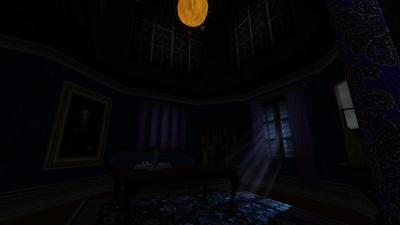
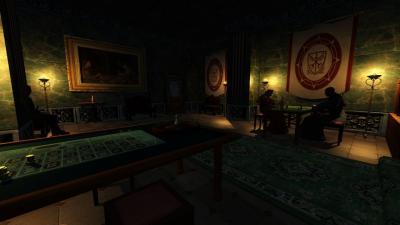
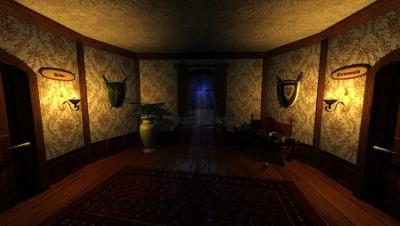
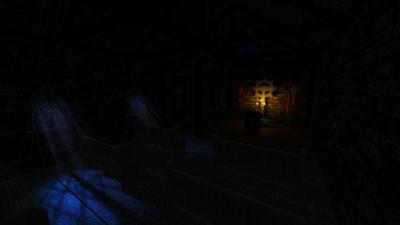
 Author Note: Thank you for downloading and playing the sequel to The Accountant 1: Thieves and Heirs this FM picks up right from where we left off in accountant 1. This is the second part in my three part series following Corbin on his journey to discover who and what the accountant is. This mission is a little different to what you may expect from a Thief mission but still has plenty of classic Thief moments as well. This is the largest mission I have ever built with an average play through lasting between 2 - 3 hours. A few aspects in game are different to what you may expect as well and those are: - Candles are pinchable (frob to put out instead of pickup) - Food has been hot fixed so now it heals you for 10 health points when eaten - Doors that are missing handles means you cannot enter that room/building - All secrets can be found before you enter the sewers As a little piece of fun trivia there is a small cameo in my mission from a very special guest. He is a longtime voice actor in the industry and you may know him from roles such as Deckard Cain in Diablo, Captain Price in Call of Duty, Elder Lyons in Fallout 3, or just about any Nordic character in Skyrim. In addition to all of the fantastic people who have helped me along the way I have personally spent a lot of time, effort and energy devoted to bringing this out to you all so I hope you can enjoy the fruits of my labor and have fun! File size: 358 mb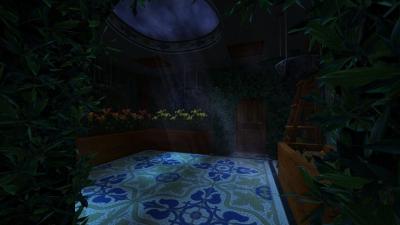
- 259 replies
-
- 25
-
-
hmm yeah the hostility in the community made a lot of good people leave. strangely it seems to have been new additions of members who took themself to seriously and reacted hostile to anyone who did not agree with they're views. they also seemed to have an inflated view of themself at the expense of older more lenient members (does this mindset also seem strikingly similar to certain rightwing fanatics to you ?). not as bad on the older quake communities but it was a constant drag to keeps these rabid morons out even there
-
plenty of lian li models have both firewire and flash drives (i have one heh). the early models came in silver or black anodized alu (also got one of both). biggest problem with lian li's older cabinets were the fans which while silent unless pushed did not move much air at all. replace them with a set of noctuas and the airflow is actually reasonable. some also make cutouts in the frame for more fans and the 5.25 drive trays can be converted to fans as well (there are some fan trays that are ready made for these but they usually come in black). i use my small 3 fan silver lian li case with a haswell 4790k and an AMD RX5700XT and it works well despite the gfx card getting rather hot even in a well ventilated case. the reason i like them so much is that they are easy to modify and there are a ton of accessories for them though you will have to look those up on the used market as they no longer get produced. i have a 5.25 " fan controller for the silver one but with the haswell board i did not really have any use for it since it is new enough to have several fan controllers. also got a 3.14" flash drive controller for the floppy cutout. i also liked the old coolermaster HAF X cabinets, which while old still has some of the best airflow you can get (downside is that its heavy as hell because its a full tower steel cabinet).
-
btw. if you still have one of the old spectrums DO NOT! throw it out. these babies go for up to 5000$ if they are in good condition and you still have the original box. old commodores are also seing a resurgence and you can get 2 to 3k for s good one. if you have spare DDR4 ram you can actually sell those for some good cash as well (close to new price even for older models). old arcade machines have also made a comeback so if you have some stuffed away in the garage or on the roof a garage sale might net you some much needed cash.
-
I do have some thoughts. My original idea was to implement a simple renderer culling distance as a CVar and intercept the rendering process, but that raises a whole set of questions I can't answer, yet. For example, take a large building where part of it falls inside the culled distance, but part of it is outside that distance? What do you do? Do you render the whole thing? If so, it would most likely be the only thing projected beyond the cutoff point, and it would look weird. If you don't render it, a large structure would just disappear when it should be visible. Without a serious amount of dev kungfu to rendering process itself, a hard render distance is probably going to be a non starter, at least for me. There are, however, a couple of other interesting ideas I am playing with. One is the light/entity interaction system. During play, the renderer maintains "idInteraction" objects representing the relationships between a particular light source and the surfaces it affects. For example: Street Lamp -> Wall Street Lamp -> Road Street Lamp -> Wooden Cart Street Lamp -> Barrel Street Lamp -> NPC A single light source will make multiple idInteraction objects, each of which must be evaluated separately. If an object falls into the radius of multiple light sources, then an idInteraction object is created for *each* one. Just having the interaction defined isn't that big of a deal, other taking up some RAM. It is the evaluation of that interaction that costs alot from a CPU/GPU standpoint. As the amount of lights and the amount of surfaces in an area increase, so do the computations for that area. Hence, a large open area with lots of lights and things usually brings the system down to 10-15 frames per second unless the mapper does some design magic to control things. Shadows also play into this, which complicates it further. Since there is no distance culling, the bigger the area, the more likely of a performance drag. But with respect to this, there is an interesting possibility. Within the idInteraction class are a couple of functions to add an interaction and to create one as a deferred action. By implementing a new CVAR like "r_lightInteractionCullDistance", a very fast and quick check can be made from the camera to the closest part of that interaction. If it is outside that distance, don't activate it. If it isn't activated, it isn't calculated or rendered. This could add in a simple distance culling mechanism and I think it could be huge in performance. As I stated, shadows are an extra wrinkle here. The engine keeps some things around which are not directly visible because their shadows may project across the camera, even though the light source causing the shadow is not visible. This can have added ovehead, and again, this increases with the amount of lights in an area. There is also another option I have been looking into that could actually be better. That is calculating how much of the screen is being occupied by the object. A relevance factor, if you will. An example is a large building, say a Templar church, and it is 8000 units away. Maybe there is something needing to be frobbed on the ground about 3000 units away, like a potion. With pure distance calculation, the church would disappear even though it can be plainly seen, but potion wouldn't even though it is most likely not visible or very, very small. As part of the calculations, the screen projection sizes are already computed by the engine. It would be fairly academic to query the engine for the onscreen rectangle size and cull it based on if it is too small. I have been leaning toward this idea more and more as I run scenarios through my head. Things usually don't work out the way they are intended to in the first pass with stuff like this, but as I dissect the source more, it is what I think the better solution. In a similar way, portal traversal can follow the same idea - if the visible projection of a portal on screen is below a certain threshold, do not go through it. Basically, when the map is created, the compiler breaks up the map into areas, separated by visportals. This is actually a super important function because it provides hard separation between to disparate locations on the map. A closed visportal prevents the engine from searching through it for things that are beyond that "could" visually affect the current view from the camera. Much of the time, things behind visportals do not affect the current view in the camera at all, but if the portal is open, the engine will search through it every time, regardless. Good map makers (ahem...JackFarmer?) know how to use all the tricks in the book to force occlusion - doors, 90 degree turns, short alleys, tall structures that obscure, and visportals. Closing a door/portal immediately halts the search for anything past it from an engine standoint. But an open portal beyond an open portal causes searching into a third area which most certainly won't have any relevance to the current view. It can cascade from there because the engine will continue through all open portals it finds during that rendering pass. So, this is great for interiors, closely confined towns, etc. But a large outdoor space is harder. Breaking up a large area with multiple visportals is worthless since they would all have to be open to see the area in the first place. Interestingly, the engine does clip out the stuff that can't be seen behind a portal. But the problem is that it has to search through it at all to figure out if it needs to clip it. So, I am thinking another CVAR for portalScreenSize or something like that. If the portal occupies less space on screen than the size specified in the CVAR, then don't traverse it. As an example, assume the map is a long alleyway. At the far end is a portal that is only showing on screen as a 2x2 pixel square after it is rendered. That is something you wouldn't even really see, but the engine sure can. Because the engine can see it, the renderer goes through the opening to find a bunch of stuff behind it - lights, surfaces, etc. It then has to compute all of that stuff it finds through that little tiny opening because it "may" affect the current screen view. After everything has been calculated, it then just simply clips it out anyway because all of that stuff isn't visible through the portal or the 4 pixels it takes up don't change. All that work for literally no reason. I don't want to sound like I am putting down the engine - quite the contrary. I am amazed that anyone could come up with this at all. For it's time, this thing is a marvel to be sure. The renderer does do plenty of screen culling, to be sure. The engine could never achieve real playability if it didn't. It just doesn't do anything that is *distance* related, or screen size tested to determine that culling, and that is why large open areas die horribly: too many lights and surfaces to compute because it doesn't know not to. The last thing I have found, I am not sure how to handle/fix. In any area (as defined by visportals), walls and other things are not actually doing occlusion from a calculation standpoint. They block things visually on screen, sure, and this does go a long way in performance. It is also the expected behavior. I mean, lights shining through walls is a bit silly. But if you place a large wall in front of a light source, and stand on the other side where you can't see the light, the engine still has to check the idInteraction objects that the light it connected with to see if it is interacting with the viewscreen. Of course, it isn't, but the calculations take place because from the engine's viewpoint, it could. So those are my ideas for now. Finding the engine really fascinating. In many ways, it is much easier to understnad than the beast that is Unreal Engine. Obviously, it isn't nearly as mature and developed as Unreal but it wouldn't be realistic to expect it to be. In reality though, knowing what I know about UE has really made me appreciate it that much more. Bottom line is that all of these guys were geniuses. Incidentally, there are lots of good comments througout the source code - big time kudos to whoever did that. It would be very, very hard to digest this if they hadn't documented it.
-
Following the discussion of the Released and Upcoming thread Fidcal and I came up with some ideas how we could save abandoned labours of love. We came up with the following for contributing and adopting unfinished work maintained in this thread: How to contribute? If for any reason you decide to quit working on a map, map parts, etc. please consider contributing your abandoned work to the community! Proof of concepts and appealing results from "just playing around" alike may be interesting for other people to pick up. To do so just send a private message to a team member (preferably a mission manager like nbohr1more) with all relevant information about your work so far (see format below) and a link where it can be downloaded. Please do not post any download links in this thread. Your work will be archived on one of the Team's TDM servers. FM's (WIP) Name: ... Former author(s): ... Current author(s): (If any) Status: (free for adoption / in work) Due Date: (the next date I expect a new WIP version and progress report) Type: (Mansion, City, Crypt, Wilderness, ...) Theme: (Gold Heist, Horror, Story Focused, Inventors, ...) Progress: (Geometry, Details, AI, Gameplay, ... in some rough percentage) Informations: (anything the authors like to share about the work so far) How to adopt? Send a PM to a team member (ideally a mission manager). If you have already released an FM for TDM then most likely adoption will be granted. If you have never released an FM it'll be less likely.. If you did release FM's for Thief or a mod for any other game please send details that help us to decide. If you're the original author you can always pick up your committed work again as long as it is still (or again) "free for adoption". What do we expect from authors who did adopt assets? All former authors must be given credit upon release. You may like to use the unfinished assets the way you like: use parts in your own map or continue finishing the abandoned map. We and the former authors have to trust anyone given responsibility of the assets of a possibly already superb unfinished map. We all know that it sometimes happens that people cannot continue a work for various reasons (if so, please PM the team member), lose interest or in the worst case just disappear! In this case, or if we try to contact you for a status update and do not hear from you in a reasonable amount of time, we will offer the map again for adoption to someone else who might want to finish the FM. We hope to see some great unfinished works being worked on again and completed. So, fellow authors ... contribute your unfinished work List of Abandoned Works _________________________________________ Please check the wiki for details of abandoned work free for adoption and adopted maps: https://wiki.thedarkmod.com/index.php?title=Abandoned_Works