Search the Community
Searched results for '/tags/forums/poor model texture alignment/q=/tags/forums/poor model texture alignment/' or tags 'forums/poor model texture alignment/q=/tags/forums/poor model texture alignment/&q=/tags/forums/poor model texture alignment/q=/tags/forums/poor model texture alignment/&&'.
-
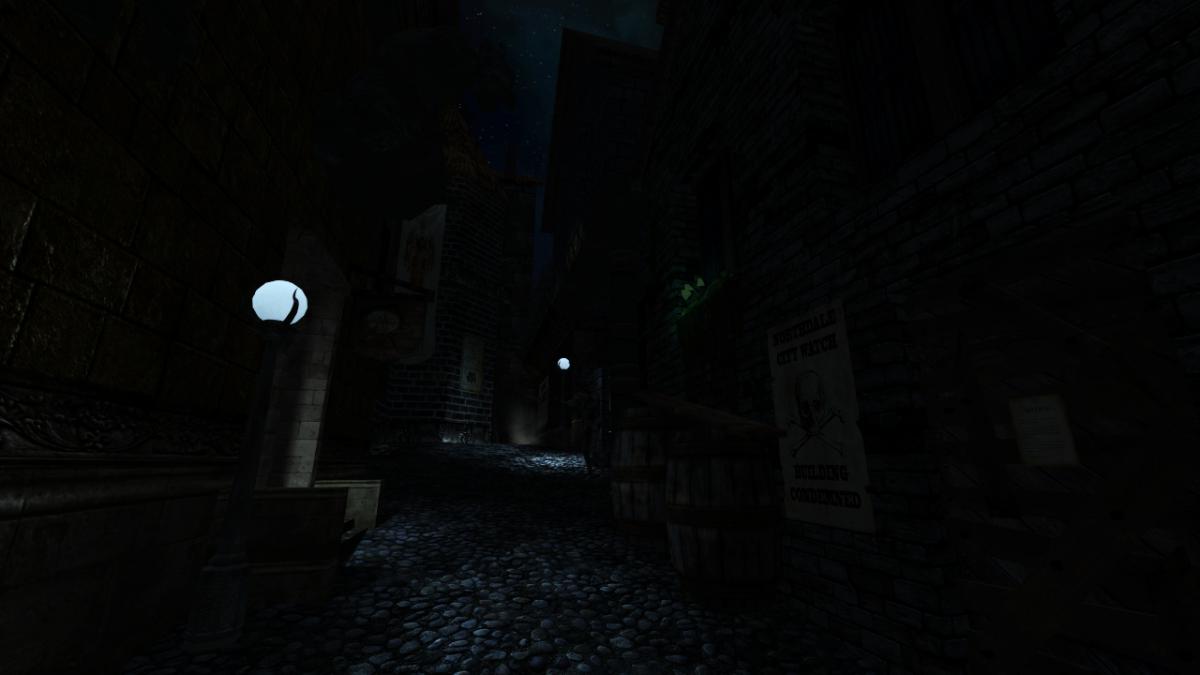
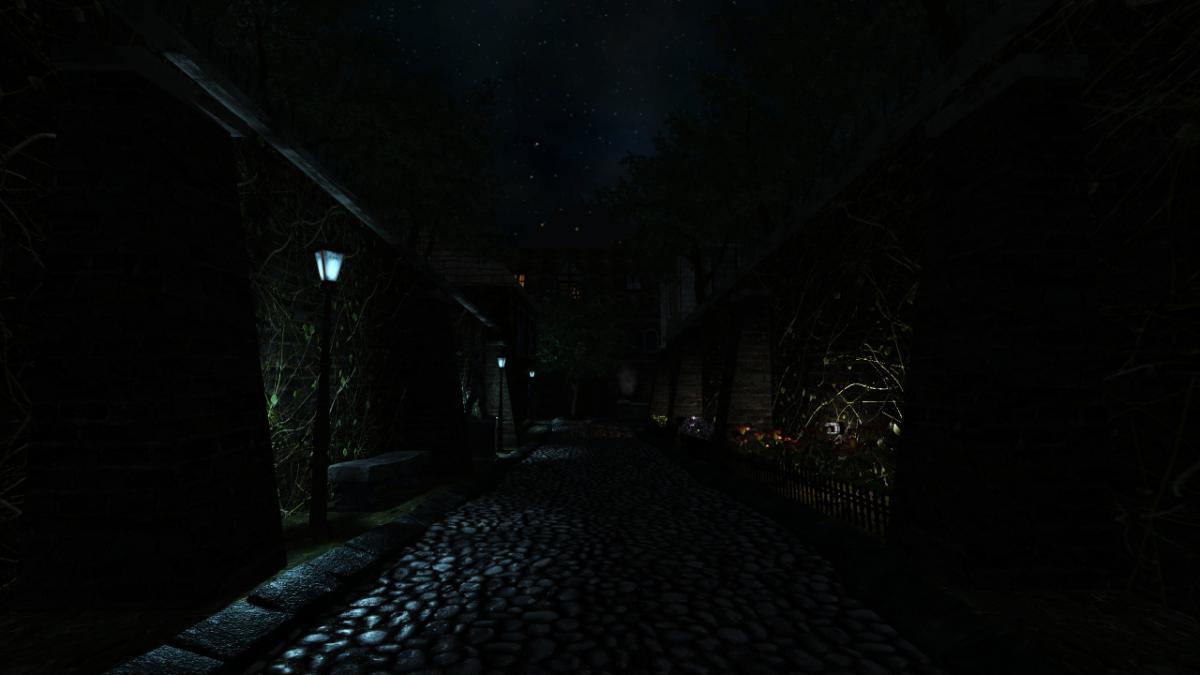
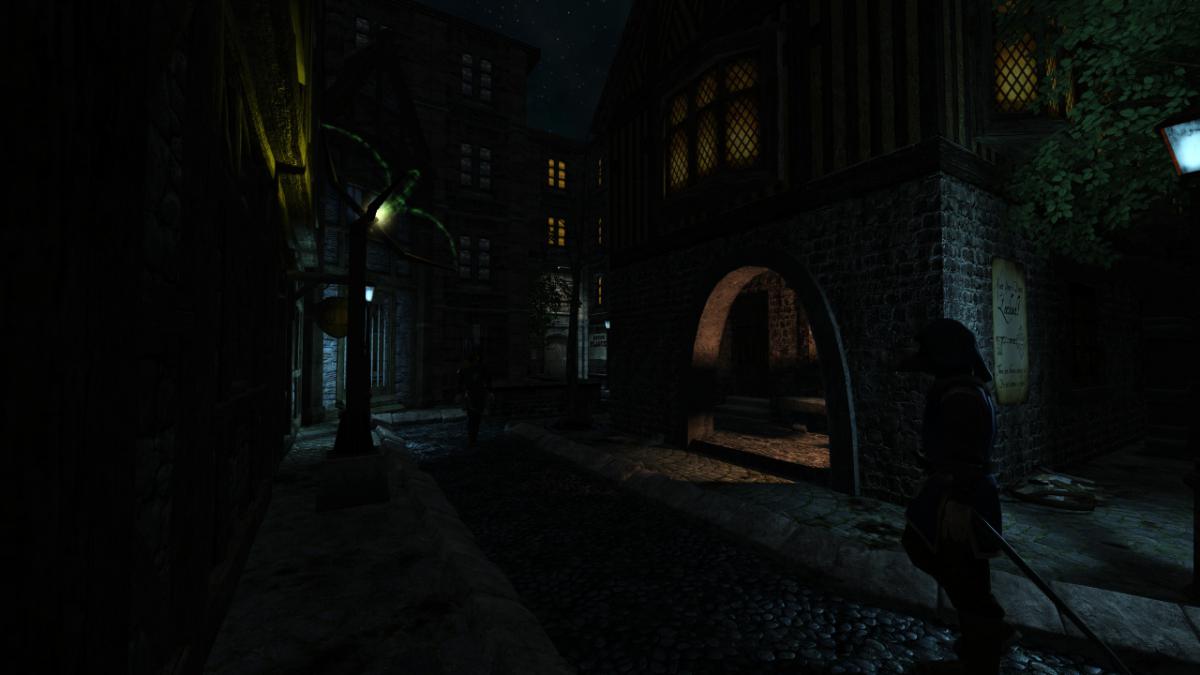
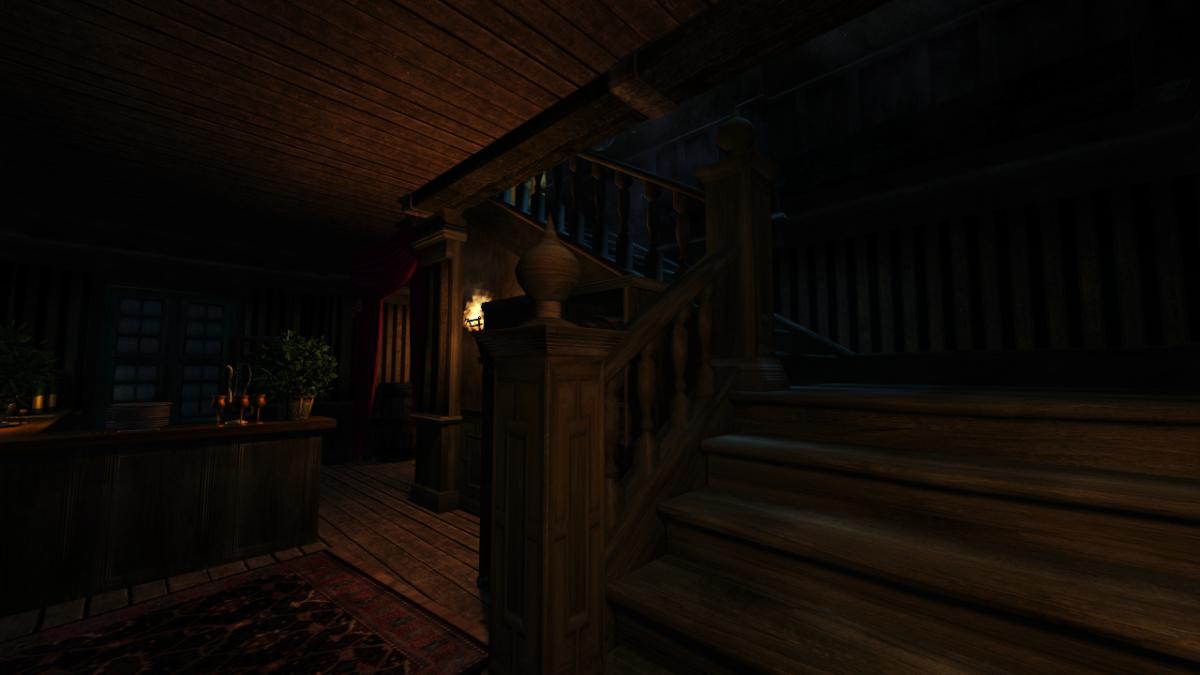
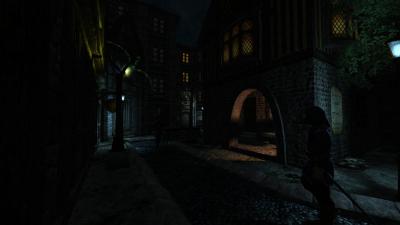
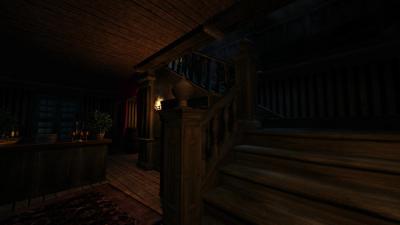
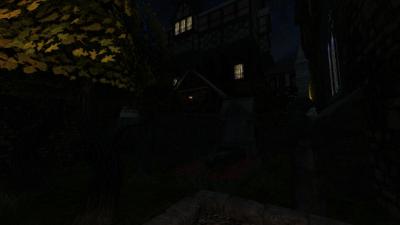
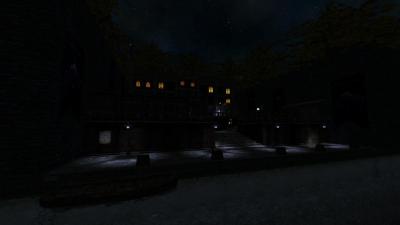
 Today I am happy to announce the release of my first FM for The Dark Mod. After 6 years of using this lovely game creation engine, I'm finally able to contribute my own project for it! It took roughly two weeks of non-stop work to do everything from start to end... there's always some little detail to come back to when mapping, thus there were a few little things left out to prioritize others, but at the end of the day this came out almost exactly as I envisioned it. In this mission you play as the typical professional thief. You've been hired to retrieve a scroll containing forbidden knowledge from the mansion of a wealthy noble, put there by the builder church who is close to its owner and found it a more suitable spot. A banquet is being thrown by the lord who owns the mansion which is the perfect opportunity to make your move. Nothing out of the ordinary: You're to retrieve this scroll and get paid for your work... simple, right? Notice: Performance in some areas may be poor. I optimized the lighting setup as much as possible, trying to use as few long range light sources as I could. To achieve the desired theme however I had to leave parts of them map relatively open. Hopefully this won't be a hindrance to anyone... if it is you may need to lower some graphical settings. For people who don't like surprises and may be sensitive to certain themes, read the spoiler below. If you're okay with anything don't as it will ruin the experience! For people who are stuck and don't know how to proceed, instructions are provided in the spoiler below. Only read them if necessary. A tip that needs no spoilers: The key in this FM is exploration and reading everything carefully. There are secrets to be found: Always look everywhere and closely at everyone! I'm eager to hear what your experience with this FM is. Use spoilers when referring to specifics, but do let me know what your thoughts are! Especially with this being my first FM I could use tips, including technical ones if you look at the map in DarkRadiant. Here are a few screenshots of the main areas (intended for the installer): And finally the download links. Unzip and place the main directory inside your fms folder, this should get it to show up in the mission list. Mirror 1 Mirror 2
- 48 replies
-
- 11
-

-

-
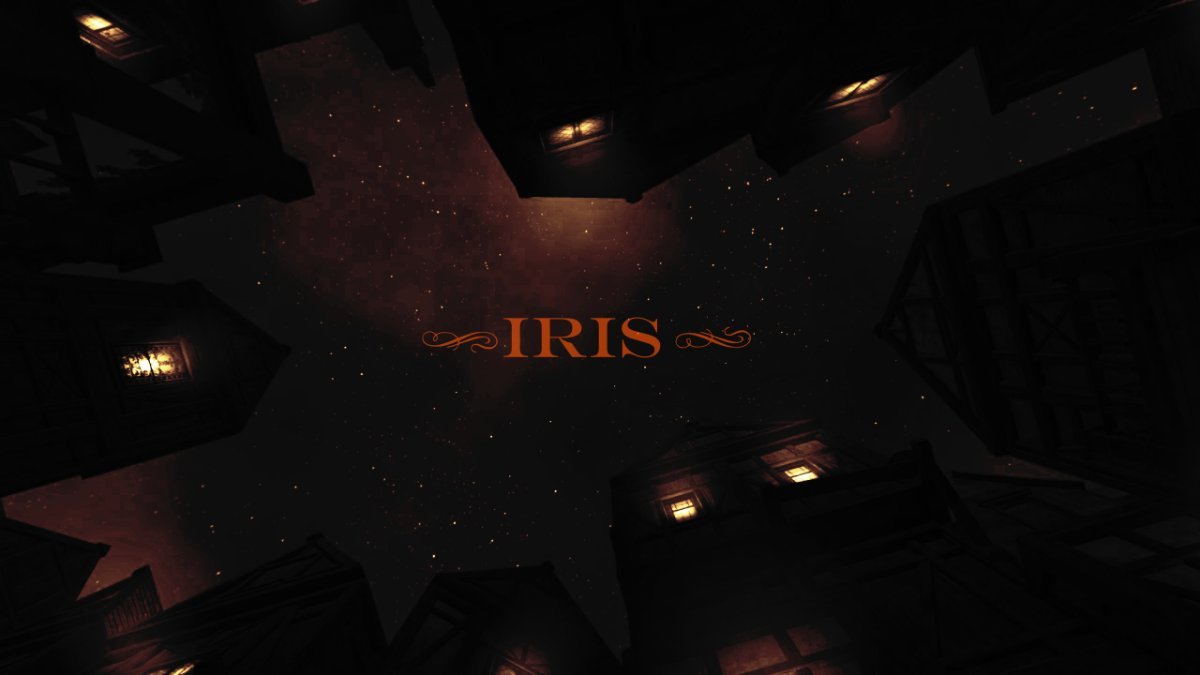
 ============== -= IRIS =- ============== WELLINGTONCRAB TDM v 2.11 REQ Ver. 1.3 *For Maureen* -=- "Carry the light of the Builder, Brother. Unto its end." -Valediction of the Devoted "What year is this? Am I dreaming?" -Plea of the Thief Dear Iris, I am old and broken. When we were young it felt like the words came easily. Now I find the ink has long dried on the pen and I'm as wanting for words as coin in my purse. I can tell we are nearing the end of the tale; time enough for one more job before the curtain call... ============== -Installation- Requires minimum version of TDM 2.13 -Iris does not support mods or the Unofficial Patch- Download and place the following .pk4 into you FMs directory: Iris Download ============== Russian Language Translations by @kalinovka Mirror #1: yandex.ru Mirror #2: Google Drive ============== *Thank you for playing. Iris is a large mission which can either take as quickly or as long as you are compelled to play. I hope someone out there enjoys it and this initial release is not completely busted - I tried the best I could!* *Iris both is and isn't what it seems. If commenting please use spoiler tags where appropriate. If you are not certain if it would be appropriate a good assumption would be to use a spoiler tag* *Support TDM by rating missions on Thief Guild: https://www.thiefguild.com/* ============== WITH LASTING GRATITUDE: OBSTORTTE - Whose gameplay scripts from his thread laid the foundation which made the mission seem like something I could even pull off at all. Also fantastic tutorial videos! DRAGOFER - Who built upon that foundation and made it shine even brighter! And whom also provided immeasurable quantities of help and encouragement the past couple years on the TDM discord. ORBWEAVER & GIGAGOOGA - For generously offering their ambient music up for use. EPIFIRE - Who lent me his fine trash and trash receptacle models. AMADEUS - Who was the first person who wasn't me to play the damn thing and provided his excellent editorial services to improving the readers experience playing TESTERS AND TROUBLESHOOTERS: AMADEUS * DATISWOUS * SPOOKS * ALUMINUMHASTE * JAXA * JACKFARMER * WESP5 * ATE0ATE * MADTAFFER * STGATILOV * DRAGOFER * KINGSAL * KLATREMUS - What can I possibly say? Playing this thing over and over again could not have been easy. Deepest thanks and all apologies. -=THANKS TO ALL ON THE TDM DISCORD AND FORUM=- ==SEE README.TXT FOR ADDITIONAL ATTRIBUTIONS & INFORMATION== HONORABLE MENTION: GOLDWELL - If I hadn't by chance stumbled into Northdale back in 2018/2019 I would probably still be trying to get this thing to work in TDS, which means it probably would not exist - though more details on that in readme. ============== Boring Technical Information: *Iris is a performance intensive mission and I recommend a GTX 1060 or equivalent. I find the performance similar to other demanding TDM missions on my machine, but mileage may vary and my apologies if this prevents anyone from enjoying the mission.* *Iris heavily modifies the behavior of AI in the game, how they relate/respond to each other and the player. So they may act even stranger than they do typically in TDM. Feedback on this is useful - as it can potentially be improved and expanded upon in future patches.* -=- This is my first release and it has been a long time coming! If I forgot anything please let me know! God Speed. 2.10 Features Used:
- 449 replies
-
- 25
-
-
-
How you can help depends a lot on what skills you have. I can Record Video Recording "Let's Play" videos or simple walkthroughs of existing missions and posting them to Youtube is great exposure for the mod (see example .) Be sure to let us know so we can link to them. If you have some editing ability, Video tutorials, where you explain how the mod works, or how to use specific tools, would also be great. Video trailers, showcasing interesting places and features, are also great for publicity. An example is . I can Write Writing reviews for missions are always nice, especially if they include good screenshots. Not only does it give us something to post on other forums, but it makes mappers feel good when their mission gets attention (especially if it's positive). We have a collective thread to post reviews in: http://forums.thedar...s-walkthroughs/ Writing reviews of the mod as a whole, targetted an an audience that doesn't know much about TDM, is also very useful. You could also try offering your services to mappers to create interesting readables, or to proofread for their mission. I can Act and Record Audio We are always on the lookout for good quality audio recordings for vocal sets. If interested, you can pick a few different lines from this script: http://wiki.thedarkm...t:_Average_Jack and send the recordings to Springheel, who then writes a script based on the type of voice you have. I can Translate We could always use translations of our menu/hud into more languages. Also, only a few FMs are aavailable in more than one language, so there is a lot of work there, see the I18N Translator's Guide in the Wiki. I can Model Great! Take a look at the model request thread:http://forums.thedar...-requests-here/ and pick something that interests you. Or just post a, "Hey, anybody want a model?" thread in this forum and I'm sure mappers will get back to you. I can Animate Fantastic. We can always use more good animations. Our current character rigs use a Maya skeleton. PM Springheel for more info. I know C++ Have a look at our coding section in the wiki, pick an issue or feature from the bugtracker of the mod or the leveleditor, download the recent sourcecode release (or better ask for an SVN checkout) and get cracking. Make sure nobody is already working on that specific issue and feel free to ask questions. I can Edit Images We can always use completely new textures and/or improved versions of older textures. How to get started and how to import them into the mod. I can Take Photos Good quality photos of useful textures (medieval-ish building facades, dirt, rocks, wood, etc) are always welcome. The fewer directional shadows and higher resolution, the better. I don't have any skills Even if you can't do any of the above, you can still help out. Talk about TDM in other forums; share your (preferably positive) experiences with other gamers you know. Last, but not least, compliment people when you like their work. Saying "thanks", to a developer or, "I really enjoyed your mission" to a mapper will make their day. -------------------- I'll update this further as more things occur to me.
-
I'm sad I have not noticed this thread earlier I wonder from where I should start reading... The current approach with distance culling is: mapper either uses prebuilt LOD model which switches to simplified version, or sets hide_distance to make object hide when it is far. Both features were implemented purely in game code at the time when rendering engine was closed. I absolutely agree that it would be better for the engine to handle it automatically without mapper effort, but I don't see how it is possible, it needs manual tweaking on case-by-case basis. Simplified mesh can look indistinguishable from far enough, but hiding a mesh almost always looks bad IMO. And something like a global cvar will exactly do this: hide lots of stuff. Unless you plan to generate LODs automatically? I personally hate how this hiding/poping looks, so I prefer to simply disable even LODs in game settings, luckily the game is lightweight enough to tank it. I believe the perfect "solidness" is the strong point of Doom 3 engine, especially compared to modern engines. And yes, the engine does traverse distant 5-pixel portals. Because if you stop doing that, player will notice these 5 pixels toggling while he moves towards/away from them.
-

Fan Mission: Scroll of Remembrance, by MirceaKitsune (03/11/2020)
chakkman replied to MirceaKitsune's topic in Fan Missions
ThiefGuild has some tags: https://www.thiefguild.com/fanmissions/?advanced_search=&series=&collection=&table=&page=&works=&work_lists=&sort_by=newest&search=&games=5&released_from=all&released_to=all&genre=all&original_games=fms Not sure how complete or accurate those are, after all either the author or users add the tags to the missions. -
 Author note: It's hard to believe it's already been a year since Act 1 came out! Well during this mission the player will be following Corbin into the Grimwood district to followup on a lead from last night (Act 1) .. the mysterious tablet! This mission is my first time including full EFX support as well as a HD briefing video file, additionally a new script has been added crafted by the talented Obsttorte which has loot flying towards the player when you pick it up. On a level design front I have tried to change things up a bit by really catering towards a number of play styles, this mission can be completely ghosted or you can use the tools at your disposal to wreak havoc on the citizens of Northdale. For the first time I have tried to create more sandbox environments which don't offer clear answers handed directly to you, so if you're having trouble figuring something out try a different method. This mission takes between 1 - 2 hours to finish depending on the difficulty you play on and how thoroughly you explore. I hope you enjoy your night in Northdale! - Goldwell Voice actors Fen Phoenix Goldwell Random_taffer Yandros Beta testers Amadeus Boiler's Hiss Cambridge Spy Chakkman Crowind Epifire Kingsal SquadaFroinx Custom Assets Andreas Rocha DrK Epifire Grayman Kingsal MalachiAD Obsttorte Sotha Springheel SquadaFroinx Purgator With special thanks to Epifire for creating a large collection of custom models, Grayman for helping out with coding, Kingsal for drawing the ingame map and Moonbo for his script revision on the briefing video. Available via in-game downloader MIRROR File Size: 417 mb EDIT: If you are having performance issues please consult this post by Nbohr1more which may address your issue http://forums.thedarkmod.com/topic/19936-fan-mission-shadows-of-northdale-act-ii-by-goldwell-20190320/page-2?do=findComment&comment=436271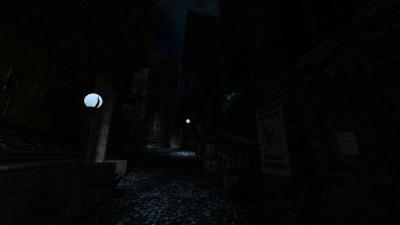
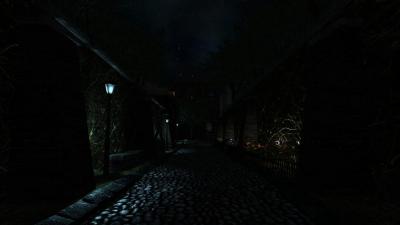
-
@CyPuckI would start with confirming you are on the full release version of 2.14 - many of these assets were added to the core game towards the end of the beta period and then subsequently removed from the mission archive, which a likely explanation for why it cannot locate the model (if it’s neither in the base game, or the mission archive)
-
Agree with this sentiment 100 percent. Just come ask for help on these forums before asking chatgpt there are tons of knowledgeable folks here, especially those who know how materials work
-
For the people eager to play with the latest state of development, two things are provided: regular dev builds source code SVN repository Development builds are created once per a few weeks from the current trunk. They can be obtained via tdm_installer. Just run the installer, check "Get Custom Version" on the first page, then select proper version in "dev" folder on the second page. Name of any dev version looks like devXXXXX-YYYY, where XXXXX and YYYY are SVN revision numbers from which the build was created. The topmost version in the list is usually the most recent one. Note: unless otherwise specified, savegames are incompatible between any two versions of TDM! Programmers can obtain source code from SVN repository. Trunk can be checked out from here: https://svn.thedarkmod.com/publicsvn/darkmod_src/trunk/ SVN root is: https://svn.thedarkmod.com/publicsvn/darkmod_src Build instructions are provided inside repository. Note that while you can build executable from the SVN repository, TDM installation of compatible version is required to run it. Official TDM releases are compatible with source code archives provided on the website, and also with corresponding release tags in SVN. A dev build is compatible with SVN trunk of revision YYYY, where YYYY is the second number in its version (as described above). If you only want to experiment with the latest trunk, using the latest dev build gives you the maximum chance of success. P.S. Needless to say, all of this comes with no support. Although we would be glad if you catch and report bugs before the next beta phase starts
- 35 replies
-
- 15
-
-
-

Fan Mission: Displacement By Amadeus & WellingtonCrab (02/01/26)
CyPuck replied to Wellingtoncrab's topic in Fan Missions
When loading the game I get a game error shutdown, "id_Movable 'ATDM_Moveable_Loot_Goblet_Golden01_1': cannot load collision model Models/Darkmod/Loot/Loot_Golden_Goblet01.ASE". I am running DarkMod 2.14 but not sure if it is the beta version. Any suggestions? -
void R_HardwareOcclusion (void) { int i; entity_t *ent; int numOccluded = 0; float mins[3]; float maxs[3]; byte boxindexes[] = { 0, 1, 2, 3, 4, 5, 1, 0, 3, 2, 6, 7, 5, 4, 7, 6, 1, 5, 6, 2, 4, 0, 3, 7 }; float boxverts[24]; // disable texturing glDisable (GL_TEXTURE_2D); // because we don;t know the orientation of the bbox in advance... glDisable (GL_CULL_FACE); // disable framebuffer and depthbuffer writes glColorMask (GL_FALSE, GL_FALSE, GL_FALSE, GL_FALSE); glDepthMask (GL_FALSE); glEnableClientState (GL_VERTEX_ARRAY); glVertexPointer (3, GL_FLOAT, 0, boxverts); for (i = 0; i < cl_numvisedicts; i++) { ent = cl_visedicts[i]; // don;t bother with these are they're included with the world if (ent->model->name[0] == '*') continue; // get mins and maxs points VectorAdd (ent->origin, ent->model->mins, mins); VectorAdd (ent->origin, ent->model->maxs, maxs); // CPU grunt to the rescue!!! boxverts[0] = boxverts[9] = boxverts[12] = boxverts[21] = mins[0]; boxverts[3] = boxverts[6] = boxverts[15] = boxverts[18] = maxs[0]; boxverts[1] = boxverts[4] = boxverts[13] = boxverts[16] = maxs[1]; boxverts[7] = boxverts[10] = boxverts[19] = boxverts[22] = mins[1]; boxverts[2] = boxverts[5] = boxverts[8] = boxverts[11] = maxs[2]; boxverts[14] = boxverts[17] = boxverts[20] = boxverts[23] = mins[2]; // begin the occlusion query glBeginQuery (GL_SAMPLES_PASSED, OcQueries[i]); // draw as indexed varray glDrawElements (GL_QUADS, 24, GL_UNSIGNED_BYTE, boxindexes); // end the query // don;t read back immediately so that we give the query time to be ready glEndQuery (GL_SAMPLES_PASSED); } glDisableClientState (GL_VERTEX_ARRAY); // restore basic state glEnable (GL_TEXTURE_2D); glEnable (GL_CULL_FACE); // enable framebuffer and depthbuffer writes glColorMask (GL_TRUE, GL_TRUE, GL_TRUE, GL_TRUE); glDepthMask (GL_TRUE); // some implementations don't reset the primary colour properly after restoring the colormask glColor4f (1, 1, 1, 1); // now we read back for (i = 0; i < cl_numvisedicts; i++) { ent = cl_visedicts[i]; // don;t bother with these are they're included with the world if (ent->model->name[0] == '*') continue; // get the object and store it in the occlusion bits for the ent glGetQueryObjectiv (OcQueries[i], GL_QUERY_RESULT, &ent->OcclusionBits); if (!ent->OcclusionBits) numOccluded++; } // testing // Con_Printf ("Occluded %i Entities\n", numOccluded); } this code was made for quake so there are a few things that needs changing. feks. if (ent->model->name[0] == '*') continue; this tests against quake's transparent models (water / slime / teleports) and skips occlusion tests for those but idtech4 uses something different. or these cl_numvisedicts / cl_visedicts which are used to make a list of visible entities in quake but idtech4 uses a different approach on these as well. so quite a lot of changes nessesary before it can be used. the occlusion queries are actually generated in another piece of code in the check for OpenGL capabilities. that code is this -> // occlusion queries if (glGenQueries && glDeleteQueries && glIsQuery && glBeginQuery && glEndQuery && glGetQueryiv && glGetQueryObjectiv && glGetQueryObjectuiv) { // get number of query bits // an implementation is allowed to support occlusion queries but have no bits available!!! // therefore we only store query bits as a cap and test against that glGetQueryiv (GL_SAMPLES_PASSED, GL_QUERY_COUNTER_BITS, &GL_Caps.GL_QueryBits); Con_Printf ("%i Occlusion Query Bits\n", GL_Caps.GL_QueryBits); if (GL_Caps.GL_QueryBits) { // generate occlusion query objects extern int OcQueries[MAX_VISEDICTS]; glGenQueries (MAX_VISEDICTS, OcQueries); Con_Printf ("Generated Occlusion Query Objects\n"); } else Con_Printf ("Did not Generate Occlusion Query Objects\n"); } else GL_Caps.GL_QueryBits = 0; the renderer in quake uses it like this -> // occluded if (!cl_visedicts[i]->OcclusionBits) continue; which just skips over drawing anything that is occluded. for lights / shadows we are not actually drawing an object so the method would also have to be changed for this purpose. there is also the problem with hardware occlusion queries that they tend to lag 1 frame behind which would cause otherwise occluded objects to shine through for a split second before it catches up.
-
 So a long standing issue with the light model entities in the core, is that the main light source is hard bound to the origin of the model. This isnt great, because it means the origin of the light is then directly in the same plain as a wall or ceiling @ 0, 0, 0. which has an unpleasant effect visual effect on a lot of the stock textures. If the engine code could be updated/edited so the main/default light for each light entity could be somewhere that isn't the at 0 0 0 of a model, I would have no issue taking on the task of checking and fixed every stock light.. In my humble opinion, this should 'not' significantly break any existing FM's, because all we will be doing is moving the origin of the light source to where light would be emitted from IRL, eg the housing, bulb or arc etc.
 -
I don't know who has what skillset, as I am still pretty green on the forums. However, I do know that shader development does require some voodoo black magic! I understand the fundamentals of shaders, but understanding the basic how and why is very, very different from creating them.
-
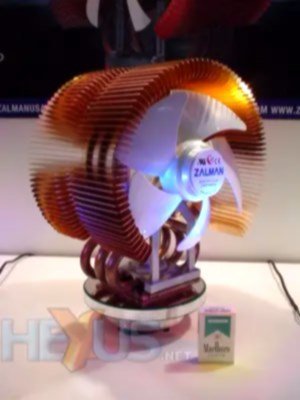
hmm if it is an amd the wraith spire cooler is pretty noisy and that one is not even that old . most zalman coolers i had over the years have been pretty silent so im not sure. there was a tower cooler from coolermaster at some point that was shaped like an X which was pretty noisy (fits both intel and amd) cooled pretty well though. the old intel push pin models could get loud if the cpu got hot. most modern coolers i have heard are pretty silent compared to the older models (developers got better at making the fans silent). hmm come to think of it the thermalright macho models could get a bit noisy at higher temperatures. EDIT: the thermalright fans are indeed pretty noisy on the older models (i have an lga2011 model) mostly because they spin rather fast > 2000 rpm on a 140mm. the macho model is pretty old but still sold as it still cools ok despite it being a single fan model on a tower that is close to the size of noctuas NH-D15S. this was one of zalmans older models
-

Full VR support for The Dark Mod, new bow, climbing mechanics and more!
freyk replied to JAKE's topic in The Dark Mod
Nice work! Is there a build/code that other users can download and try? Please merge back the code with TDM VR, see topic: https://forums.thedarkmod.com/index.php?/topic/20468-the-dark-mod-vr-210-alpha-is-now-available/ === Reddit topic: link Video of JAKE's work: -
For more info, read this topic: https://forums.thedarkmod.com/index.php?/topic/23261-i-made-full-vr-support-for-the-dark-mod-new-bow-climbing-mechanics-and-more/ He based his code of TDM VR, so I referred him to this topic.
-
in the material file: tdm_forest_treebark_mossy The normal texture has a typo: .../forest_treebafork_mossy_local should read: .../forest_treebark_mossy_local
- 1 reply
-
- 1
-
-
I think it is. It is a but-for cause of this. But-for these betrayals and bannings: Mircea would not have gone down the path to the end. The citation of victorian morality is a reference to this >Back to the present, recent events are mostly why I stopped making art: I do not create with a Taliban style morality police holding a gun to my head, telling me what thoughts are permitted and who's allowed to see what in the name of "protecting" children from heresy or God even knows any more... it's not how I work, nor how I will exist. Before 10 years ago I hoped America would avoid China's cultural revolution (and model of running the internet) or at least the world at large wouldn't return to an 1800's Victorian era... then I knew better. You can read how it affected Mircea Kitsune on the blog: https://mircea-kitsune.livejournal.com/27701.html https://mircea-kitsune.livejournal.com/27604.html https://mircea-kitsune.livejournal.com/28610.html
-
-

Besides the red light, I hope they add features like the YLOD on the PS3 or the BLOD on the PS4
Hopefully it"ll never say, “I’m sorry, Dave, I’m afraid I can’t do that,” when the red light comes on
-

HL3 when
-

World War 3 when
-
-
We have been collecting textures for 4+ years, by nearly a dozen different people. It is inevitable that some textures will not stand up well in terms of quality. This thread is the place to nominate textures you think are poor and should be either fixed or removed. The following process will be followed (we are currently on step 1):
-
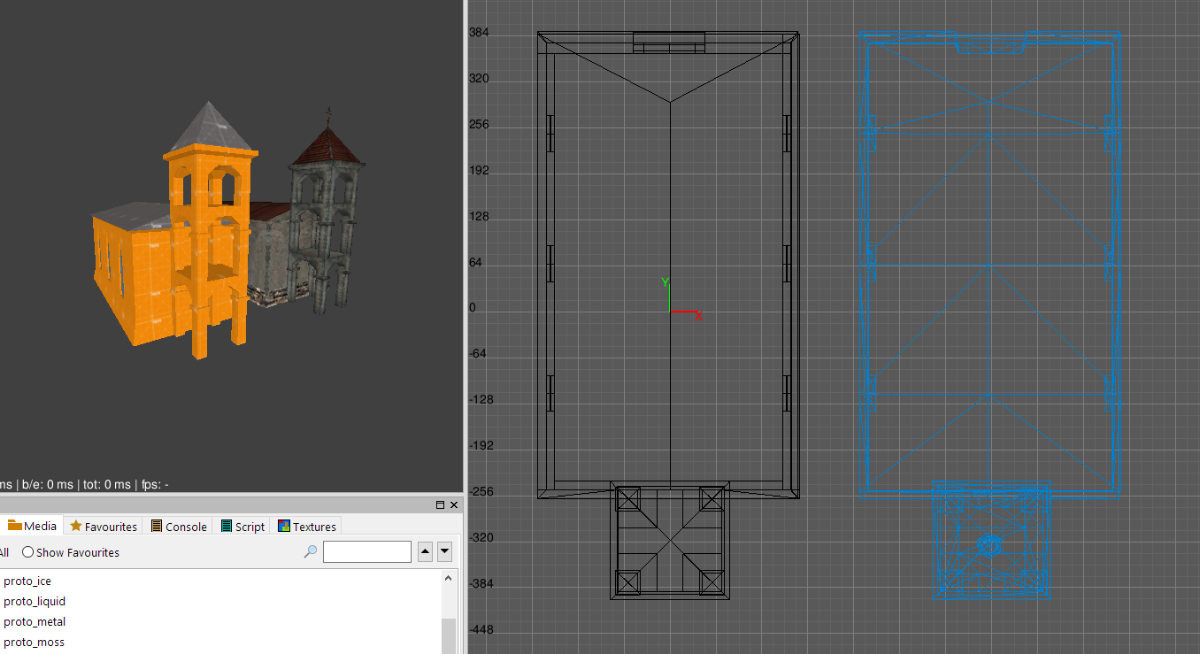
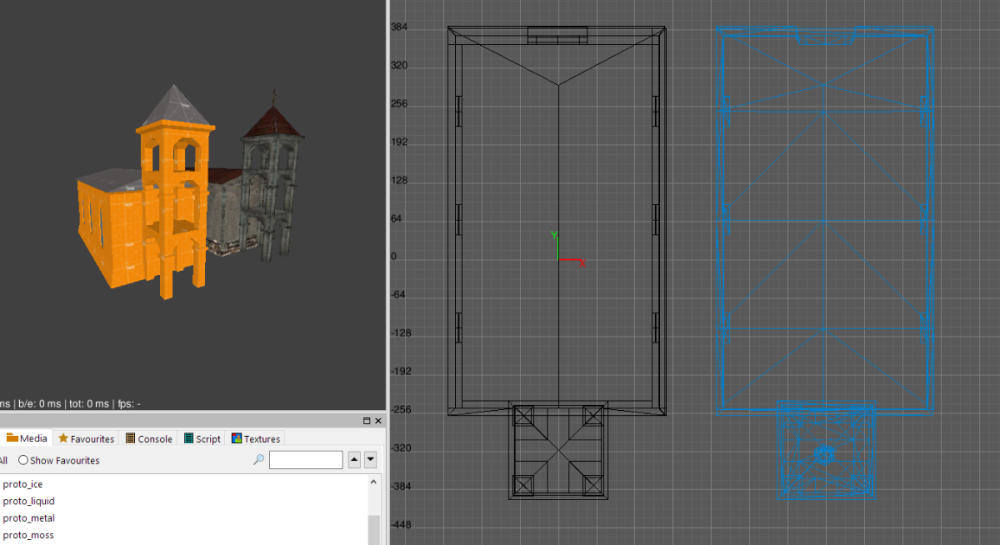
So following on from the conversation here - Here is the first draft of a basic block-out of that church, if there is interest I will complete the creation info a flashed out prefab and model - church.pfbx
-
Well... if I remember correctly, Ctrl+Ins and Shift+Ins were present in DOS, while Ctrl + C and Ctrl + V became widespread in Windows. Somewhat similar to Ctrl + Shift versus Alt + Shift for changing keyboard language. Also, Ctrl+C and Ctrl+V often mean something in Linux terminals, some kind of escape characters, I don't know myself. The point is: they don't work as I expect often. For instance, it did not work for me in pure terminal until I had set it as hotkey in the settings. And even now, some embedded terminals (e.g. in Kate) still don't work as expected. In general, I have a feeling that the only reason some Linux versions support Ctrl+C and Ctrl+V out of the box is to make us poor Windows users feel at home, and not as some traditional option.
-
yep looks insanely good but the overhead is pretty brutal. fluctuated between 3 to 7 fps so it was not playable unfortunatly. mid settings do work and still looks quite good at about 35 to 40 fps (some stutters though). low still looks ok if you fiddle with the shadow settings (otherwise they are to blocky). there is an example of game file support in the hwtl_variant.txt "DMH1" header is accepted in addition to the "DML1" header. TagBlock "HWTLPARVAR" { // sky parameters "sky dist horizontal" 100.0 // distance to horizon "sky dist vertical" 50.0 // distance to zenith "sky fog dist" 1.5 // fog distance multiplier, can be used to reduce sky // fogging so that it's not too heavy when combined with // volumetric fog // screen space ambient occlusion parameters "ssao intensity" 1.0 // intensity "ssao radius" 1.0 // radius in screen space "ssao range" 20.0 // range in world space // underwater effects parameters "underwater absorption" 1.0 // how quickly light shafts decay as a function of // distance from the surface "underwater blur" 1.0 // distance blur "underwater latitude" 20.0 // latitude of light shaft source "underwater longitude" 30.0 // longitude of light shaft source "underwater light" 1.0 // light shaft intensity "underwater range" 10.0 // light shaft effect range (from camera) "underwater saturation" 0.3 // light shaft saturation "underwater scale" 1.0 // light shaft scale "underwater speed" 200 // light shaft animation speed // volumetric effects parameters "vol range" 40.0 // effect range (from camera) "vol saturation" 0.7 // saturation "vol speed" 200 // texture animation speed "vol scale" 1.0 // texture scale "vol scatter" 1.0 // amount of light scatter "vol texture" 0.1 // texture intensity } +ObjProp <ObjID> "HwtlLight" { "selection weight" 1 // HW lights are selected based on distance and this weight // dynamic lights have an additional weight multiplier of 10 "volume" 1 // light volume intensity "volume exponent" 1.5 // exponent for volume decay "softness" 1 // shadow softness (penumbra size) "radius" 1 // radius multiplier "rays" 0 // light rays, 0 is uniform light "rays scale" 0 // light rays scale "rays speed" 0 // light rays animation speed "jitter" 0 // light position jitter range "jitter speed" 0 // light position jitter speed } this would probably help quite a lot performance wise since effect quality is enabled per object and not the entire world .
-
Regarding the Sleeper PC project aka the switch from a “glass-everywhere” case, I’ll also need a processor cooler that’s pretty noisy. I asked my friends if they had any old cases, but they all said theirs were already sold out (some had a Compaq DC7700 and Compaq SR series PCs). The hunt of the befitting case is not over yet The ATX standard has been around for 30 years, and it’s really handy because there have been almost no changes to it. Intel tried so to push the BTX form factor to mainstream but failed miserably. Back then, if I’m not wrong there was an old Zalman cooler but I forget the series and model. That was pretty noisy under medium to high loads. @revelator do you happen to know of a modern but noisy CPU cooler? I also still have an ASRock DeskMini unit with a noisy fan, but I'm wondering if I can install the DeskMini's original fan on my current AM4 motherboard. I’m planning to bring back the noise levels of the Pentium D HSF and the AMD Sempron 3400+ HSF or something tantamount to the noise level of the older AVC heatsink fan. i better put the sleeper case on the floor and this case doesn't come with any rubber feet so I need custom rubber feet i recall Pentium 4 HT and Celeron 400A don't seem to be this loud. This beast pentum D cooler fan refuses to die and i still have the pentium sticker on my current pc case (not replaced with sleeper case yet) let's groove this noisy beast again
-
I have committed my changes to SVN, now SVN works on the UTF-8 system. It reads all language strings from all.utf8lang file, and only reads old-style {language}.lang files for missions if the equivalent new-style files are not available. The core .lang / .map files are present yet, but will hopefully be deleted. In the end, I had to manually add some characters to utf8map to suppress warnings. They were not handled by the old engine: I simply remapped them all to the question mark. It seems that the majority of them come from language names, and I don't care if they look broken or have question marks. I have already stated my position about language names. At the current moment, .utf8lang uses the same format as .lang, but this is temporary. As I said before, this must be changed in order to not lock us into compatibility trap. The format should be a sequence of "commands", each command starting with a keyword saying which command it is. And global state should be kept to minimum (e.g. current language seems acceptable). In addition to the current "#str_{name}" placeholders, I'd like to add two more types of replacements for missions. 1) Plain-text replacements, i.e. replace "Not enough drive space to save the game." with "Não há espaço para salvar o jogo.", as I suggested before. This approach provides zero inconvenience for the mapper, but it rather unreliable. It becomes especially bad for short strings. This kind of replacements is not cheap to perform, but I think I know how to do it efficiently. The first version will do it with bruteforce algorithm, we don't have any plain-text replacements yet anyway. 2) Full-text + ID replacements, i.e. replace "Not enough drive space to save the game.#id_nospacesave#" with "Não há espaço para salvar o jogo.#id_nospacesave#". The #id_...# placeholders are stripped from the text by the engine even if translation does not exist. If translation exists, then the engine verifies the context around the placeholder and does not apply it in case of mismatch. This approach gives mild inconvenience to the mapper, since he can clearly see the original text but has to tolerance this annoying tag at the end. The mapper can even edit the text without touching the placeholder: the obsolete translations will stop working automatically. I have a feeling that plain-text replacements won't be enough for the missions, and hope that such extra "tags" can be used here and there to make it more reliable.