Search the Community
Searched results for '/tags/forums/use' or tags 'forums/useq=/tags/forums/use&'.
-
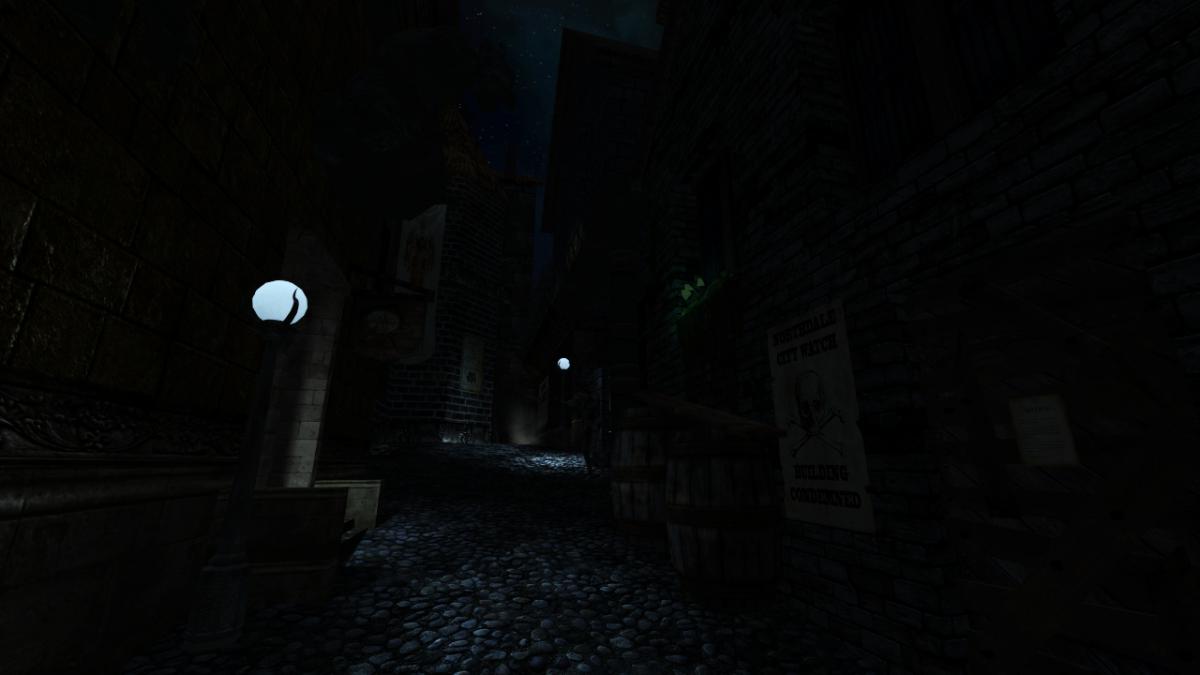
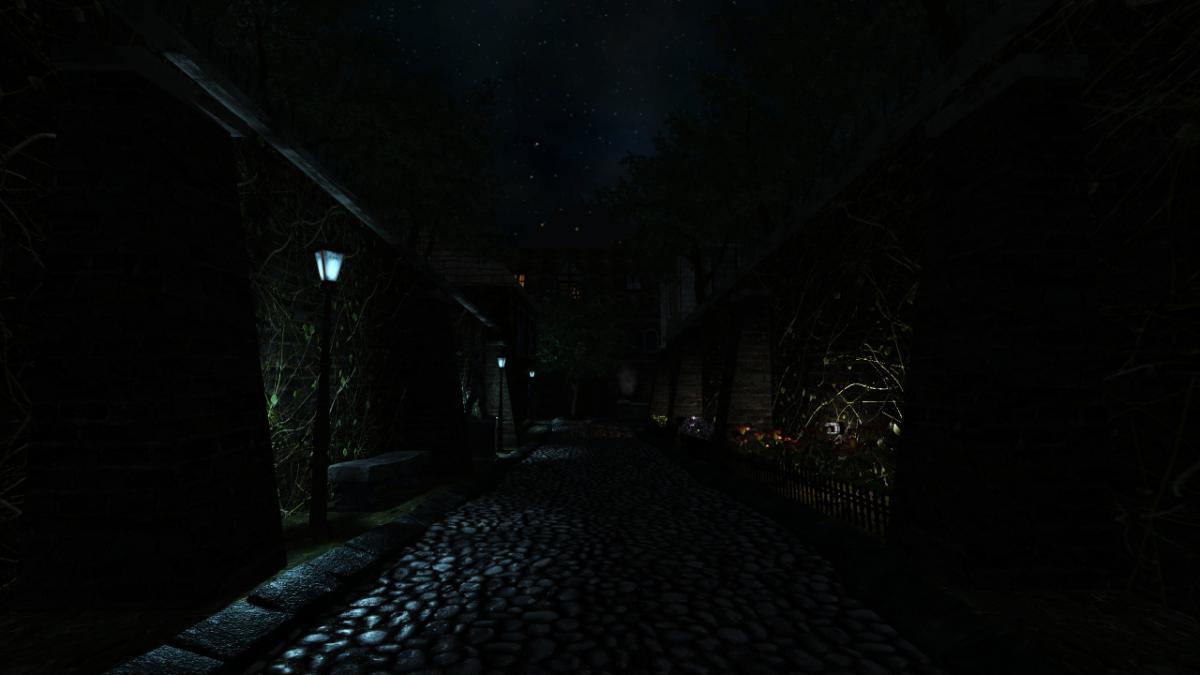
Time use the new TDM stress test mission "A Bridge Too Far" to see if you can conquer 60+ FPS in the most taxing areas...
-
How you can help depends a lot on what skills you have. I can Record Video Recording "Let's Play" videos or simple walkthroughs of existing missions and posting them to Youtube is great exposure for the mod (see example .) Be sure to let us know so we can link to them. If you have some editing ability, Video tutorials, where you explain how the mod works, or how to use specific tools, would also be great. Video trailers, showcasing interesting places and features, are also great for publicity. An example is . I can Write Writing reviews for missions are always nice, especially if they include good screenshots. Not only does it give us something to post on other forums, but it makes mappers feel good when their mission gets attention (especially if it's positive). We have a collective thread to post reviews in: http://forums.thedar...s-walkthroughs/ Writing reviews of the mod as a whole, targetted an an audience that doesn't know much about TDM, is also very useful. You could also try offering your services to mappers to create interesting readables, or to proofread for their mission. I can Act and Record Audio We are always on the lookout for good quality audio recordings for vocal sets. If interested, you can pick a few different lines from this script: http://wiki.thedarkm...t:_Average_Jack and send the recordings to Springheel, who then writes a script based on the type of voice you have. I can Translate We could always use translations of our menu/hud into more languages. Also, only a few FMs are aavailable in more than one language, so there is a lot of work there, see the I18N Translator's Guide in the Wiki. I can Model Great! Take a look at the model request thread:http://forums.thedar...-requests-here/ and pick something that interests you. Or just post a, "Hey, anybody want a model?" thread in this forum and I'm sure mappers will get back to you. I can Animate Fantastic. We can always use more good animations. Our current character rigs use a Maya skeleton. PM Springheel for more info. I know C++ Have a look at our coding section in the wiki, pick an issue or feature from the bugtracker of the mod or the leveleditor, download the recent sourcecode release (or better ask for an SVN checkout) and get cracking. Make sure nobody is already working on that specific issue and feel free to ask questions. I can Edit Images We can always use completely new textures and/or improved versions of older textures. How to get started and how to import them into the mod. I can Take Photos Good quality photos of useful textures (medieval-ish building facades, dirt, rocks, wood, etc) are always welcome. The fewer directional shadows and higher resolution, the better. I don't have any skills Even if you can't do any of the above, you can still help out. Talk about TDM in other forums; share your (preferably positive) experiences with other gamers you know. Last, but not least, compliment people when you like their work. Saying "thanks", to a developer or, "I really enjoyed your mission" to a mapper will make their day. -------------------- I'll update this further as more things occur to me.
-
Welcome to the Snatcher's Workshop. Come on in, we may have something for you today. Feel free to look around. We trade everything here. --------------------------------------------------------------------------- We realize new ideas and take existing ideas for a spin. For fun. Somewhere in this post you will find a download with mods. Good care was put to make all mods as little intrusive as possible to make them compatible with as many missions as possible. This set of mods will never break your game but some features won't be available in a handful of missions (the reasons are known). Feel free to report here what works and what doesn't. TDM Modpack 5.1 Compatible with The Dark Mod 2.13 or later (2.14 or later recommended) A lightweight, stable, non-intrusive, mission-friendly Modpack for The Dark Mod that includes many enhancements and a new set of tools and abilities for our protagonist: peek through doors, blow and ignite candles, whistle to distract enemies, mark your location, an invisibility-speed combo and more. Mods included in the pack do not alter your game or any of the missions in any relevant way. The pack includes enhancements to the core game and additions that can be used in missions but at the same time respects the vision of the mission creators. It is up to you to make use of any of the new tools and abilities or not. Please note that sometimes authors include in their missions their own versions of core files and as a result, some mods are not available in some missions. All missions will play fine regardless. Release posts: v5 series: v5.0 | v5.1 v4 series: v4.0 | v4.2 | v4.5 | v4.6 v3 series: v3.0 | v3.2 | v3.3 | v3.4 | v3.5 | v3.6 | v3.8 v2 series: v2.0 | v2.2 | v2.4 | v2.5 | v2.6 | v2.7 | v2.8 v1 series: v1.0 | v1.2 | v1.4 | v1.6 | v1.8 What's included in the pack? -:- APP: GENERIC MOD ENABLER -:- Credits: JoneSoft License: Free for unlimited time for Home users and non-profit organizations. Description: A portable, freely distributable Mod enabler/disabler. This application is required to run mods safely and it is included in the pack. At the heart of the Modpack resides JSGME (JoneSoft Generic Mod Enabler), an application that allows players to enable and disable mods with one click. JSGME has been around for more than a decade and it is to be fully trusted. Refer to the install instructions section at the bottom for full details. -:- MOD: CORE ESSENTIALS -:- A pack that includes a variety of mods from the best modders of TDM: ~ FAST DOORS Credits: Idea and programming by Obsttorte. Treatment by snatcher. Availability: All missions except Noble Affairs, Seeking Lady Leicester, Shadows of Northdale ACT II, Snowed Inn, The Imperial Sword, Volta 3: Gemcutter and a handful of lesser missions. Description: Being chased? In a rush? No problem: doors open and close faster when running. Topic: Slam doors open while running ~ QUIET DOORS Credits: An idea by SeriousToni (Sneak & Destroy mission). Mod by snatcher. Availability: All missions except Noble Affairs, Seeking Lady Leicester, Shadows of Northdale ACT II, Snowed Inn, The Imperial Sword, Volta 3: Gemcutter and a handful of lesser missions. Description: A vast number of doors play more subtle, sneaky sounds for a quieter, stealthier experience. This applies to doors that come with default sounds but only when manipulated by the player. Topic: Decrease volume of open/close door sounds triggered by player ~ LOOT ANIMATIONS Credits: Original idea by Goldwell (Noble Affairs mission). Programming by Obsttorte. Treatment by snatcher and wesp5. Availability: All missions except You Only Fly Thrice and a bunch of missions that come with their own implementation (tdm_frobactions.script). Description: Moves the loot towards the player before putting it in the inventory, underlining the impression of actually taking it. This mod comes with a subtle new loot sound that goes along nicely with the animation. ~ DYNAMIC INVENTORY Credits: snatcher. Availability: All missions. Description: When picking up loot this mod displays the loot info in the inventory and shortly after reverts back to the last non-loot item selected. The mod in addition, remembers the last item selected when shouldering and unshouldering a body. ~ SMART CONTAINERS Credits: Obsttorte (source code updates), Dragofer (similar attempts), snatcher. Availability: All missions. Description: To facilitate looting, the bottom of many containers (chests, jewellery boxes, etc...) gets automatically disabled at the beginning of the mission and only the lid remains frobable. ~ STEALTH MONITOR Credits: kcghost, Dragofer, snatcher. Availability: All missions. Description: Display some stats (Suspicions / Searches / Sightings) and the Stealth Score during a mission. Just bring up the "Loot" inventory icon and press "Use" (or setup a dedicated key). ~ STEALTH ALERT Credits: snatcher. Availability: All missions. Description: Completing a mission without being seen is something that can be done with some practice and patience. This mod will play an alerting chime whenever you are seen so that you don't have to monitor the Stealth stats all the time. ~ BLINKING ITEMS Credits: snatcher. Availability: All missions. Requisites: Console command r_newFrob must be 0, which is the game default. Description: Items within frob distance that go into the inventory (plus static readables) emit a subtle blink. This pulse can help you identify some valuable items that otherwise are difficult to detect. Topic: New Frob Shader ~ SMART OBJECTS Credits: snatcher, Dragofer. Availability: All missions. Description: Display actor and object names whenever you grab an entity with a name. In addition, objects (except AI entities) do not make or propagate sounds on impact while being manipulated. Topics: No impact sounds while holding an object / Nameless objects... a missed opportunity ~ ALT FOOTSTEPS Credits: SeriousToni. Availability: All missions except Hazard Pay, Noble Affairs, Shadows of Northdale ACT I and ACT II, Snowed Inn, Volta 2: Cauldron and a handful of lesser missions. Description: Alternative sounds of walk/run/land footsteps on water and landing sounds on squeaky wood for our protagonist. Topic: New Footstep sounds ~ MISCELLANEOUS Alternative high mantle sound for our protagonist. Removed two anticlimactic player dying sounds Revamped and extended "Mission Complete" audio theme. Standardization of frob distances for some doors. Decreased brightness of the Objectives, the Inventory and stock newspapers. Player weapons are a tad visually visible in the dark (to player only) -:- MOD: PLAYER SKILLS -:- A new "Skills" category is added to the inventory on mission load and the category includes the below abilities: ~ SKILL: PEEK Credits: Dragofer, snatcher, wesp5 Availability: All missions. Description: When the item is selected the player can peek through any regular door. Select the item in the inventory and "Use" it on a door. Topic: Peek through (almost) every door ~ SKILL: BLOW / IGNITE Credits: Dragofer, wesp5, Obsttorte, snatcher. Availability: All missions. Description: When the item is selected the player can blow out and light up candles and oil lamps. Select the item in the inventory and "Use" it on small flame sources. Topic: Extinguish small lights with a blow ~ SKILL: WHISTLE Credits: snatcher. Availability: All missions. Description: When the item is selected the player can whistle and draw the attention of nearby AI. The more you whistle, the more attention it draws. Select the item in the inventory and just "Use" it. Keep a safe distance. ~ SKILL: ALCHEMY Credits: OrbWeaver, MirceaKitsune, datiswous, wesp5, snatcher. Availability: All missions. Description: When the item is selected the player can alter the properties of broadhead arrows by applying different reagents. Select the item in the inventory and "Use" it repeatedly to cycle through the different arrow types. Topic: Alchemy to alter arrow properties? Arrow types: Shadow arrow compound or "Darkdust": Widely believed to be a myth, little to nothing is known about anti-light matter. Where did our protagonist get his formula from? When this substance is subject to strain the particles implode and the residual component absorbs light until it dissipates completely. Flare arrow compound or "Starlight": A recipe based on luminescent mushrooms and other exotic herbs. The resulting powder produces, for limited time, a dim but steady blue-ish glow when mixed with the right reactive. A high concentration of the active mixture can cause a burning sensation to the eyes. ~ SKILL: LOOP Credits: snatcher. Availability: All missions. Description: When the item is selected the player can teleport between two points. You can activate the loop any time and use it to quickly travel back to a safe location, to explore two different areas in parallel or to ambush AI. If the loop fails keep trying, you should be able to get to your destination eventually. If your path forward is blocked you can break the loop by pressing the "use" key for 10 seconds, just make sure you are on the correct side of the loop... ~ SKILL: PENUMBRA Credits: VanishedOne (speed potion), kingsal (invisibility potion), snatcher (alchemy). Availability: All missions. Description: When the item is selected the player can avoid light sources and run faster than usual for limited time. Health consumed will gradually be restored. Penumbra doesn't muffle the noise you make and it doesn't work when in contact with water. THE PATH TO UMBRA: How to become one with the shadows Did you know? You can set key bindings for the skills by clicking on the Modpack banner in the Main screen: -:- MOD: ADVANCED BOW -:- Credits: snatcher. Availability: Most missions (a few missions do things differently but you should never notice). Description: Nock and draw arrows at a faster rate. Extended radius of gas arrow effect. Chance to retrieve rope arrows when missing a shot. -:- MOD: CLASSIC BLACKJACK -:- Credits: Obsttorte, snatcher. Availability: All missions except A House of Locked Secrets. Description: A straightforward approach to blackjacking with new rules and mechanics inspired by the original Thief games. Never miss a KO again! - No indicator required. "Classic Blackjack" rules: Some AI are KO-immune and cannot be KOed: * Undead, creatures... * Guards wearing heavy helmets (to respect TDM vision) * Other: set by mission authors for the plot, in example The rest of AI can be KOed, just aim for the head: * Civilians: Can always be knocked out from any direction * Combatants: Can always be knocked out (including when fleeing) from any direction except when in high alert state (normally in combat mode) As reference, you can find in the Wiki the set of rules of the non-modded TDM: https://wiki.thedarkmod.com/index.php?title=The_Dark_Mod_Gameplay#Blackjacking -:- MOD: FLASH GRENADE -:- Credits: snatcher, kingsal. Availability: All missions except Displacement, Hazard Pay and Moongate Ruckus. Description: Flashbombs are clumsy and loud but as effective as ever. Instead of throwing Flashbombs like a cannonball we now toss them. Instead of exploding on impact Flashbombs now have a fuse. The chances of blinding have been greatly increased. -:- MOD: FRAGILE BOTTLES -:- Credits: Idea by MirceaKitsune, snatcher. Availability: All missions except Displacement (custom bottles but no custom broken fragments) and few items in A Reputation to Uphold and Shadows of Northdale ACT I & ACT II. Description: No stealth game is complete without some good bottle smashing! There are hundreds and hundreds of bottles in our mission catalogue: head to your nearest tavern or kitchen, grab a bottle and throw it to distract AI, extinguish fires... -:- MOD: HEALING BOOST -:- Credits: snatcher. Availability: Most missions (a few missions do things differently but you should never notice). Description: Food and Health Potions provide an extra recovery boost. Here is a table with the new health points (player max health is 100): 24 -> 50: Health potion 06 -> 20: Cheese Wheel 06 -> 10: Fish Mackerel 03 -> 10: Bluefish 03 -> 10: Bread 03 -> 10: Cake 03 -> 10: Cheese Wedge 03 -> 05: Muffin 01 -> 05: Apple 01 -> 05: Pear 01 -> 05: Carrot 01 -> 05: Turnip -:- MOD: INVENTORY PANELS -:- Credits: snatcher. Availability: All missions. Description: More compact. Items can be sorted. Adjust ambient volume, brightness, gamma and saturation directly from the Inventory grid. -:- MOD: LIGHT STONES -:- Credits: Idea by Zerg Rush, snatcher. Availability: All missions. Requisites: Lightgem enabled in Gameplay > General settings. Description: Splits the Light Gem into smaller stones with unique light detection levels. -:- MOD: PREMIUM LANTERN -:- Credits: snatcher. Availability: All missions except Flakebridge Monastery, Hazard pay, Moongate Ruckus, Snowed Inn, Vota 1, 2 & 3. Description: The mod replaces the light of the player lantern with a less intense, forward facing version. In addition, the lantern icon is always displayed when the lantern is on. Also, on and off sounds have been added. -:- MOD: RING HELPER -:- Credits: snatcher. Availability: All missions but the ring is dimmer when using the x-ray glasses or other overlays. Requisites: Frob Helper enabled in Gameplay > General settings. Description: The mod replaces the white dot pointer (Frob Helper) with an advanced ring-shaped aimer. The main difference is that the helper is now available for all objects you can interact with, large or small. Topic: Frob Helper discussion Options in Gameplay > General > Show Frob Helper: Always: Pointer and Ring Hover: Instant Ring Fade In: Ring delayed by one second Fade In Fast: Ring delayed by half second No: Off -:- MOD: SHADOW MARK -:- Credits: snatcher, Obsttorte. Availability: All missions. Description: Our protagonist's lucky deck! When the item is selected the player can drop and throw playing cards to mark a location. Cards can be retrieved. AI will not normally mind a single card lying around but cards can sometimes be noticed. Topic: Find more details in this post -:- MOD: SHOCK MINE -:- Credits: wesp5, snatcher. Availability: All missions. Description: This mod replaces the Flashmines with portable contraptions originally intended to store energy that have been altered to deliver a non-lethal electric shock to those who step on them. Remember: mines can be disarmed with the lockpicks! -:- MOD: SIMPLE SUBTITLES -:- Credits: Geep, stgatilov, snatcher. Availability: All missions. Description: A minimalist, imperfect approach to subtitles (you can set the scope of the subs in the audio settings). Topics: Subtitles - Possibilities Beyond 2.11 / English Subtitles for AI Barks Go to the audio settings and set the scope you prefer: Story: Story only On: Story and general speech (Give it a try!) Off: Disable subtitles Features of the mod: Background replaced with a font outline. Audio source widget replaced with a text transparency based on distance (volume) to the source. Yellow font color for story subs for best contrast, light grey font color for anything else. Non-story subs limited to a single instance, so that players aren't bothered too much with non-relevant subs (barks). --------------------------------------------------------------------------- DOWNLOADS / INSTALL / UNINSTALL So, how do I install and play with all this? Quite easy, but pay attention. I don't want you to break your game so we will be using a "Mod Enabler". A Mod Enabler allows you to enable and disable mods at will, with a few clicks. Before moving forward you must know a couple of things: The moment you enable a mod, previous saves will not work. If you want to load previous saves then you will have to disable the mod. If you play a mission with mods, the saves will only work when that exact set of mods are enabled. This above is important in case you deem your current saves precious. Consider yourself informed. DOWNLOADS You can download the TDM Modpack from Mod DB: INSTALL INSTRUCTIONS Download the zip, unzip it, and move contents to your TDM root folder: Folder "MODS" File "JSGME.exe" Go to your TDM root folder and double click on JSGME.exe (yellow icon). The first time you launch JSGME, it will ask for the "Mods Folder Name". Leave "MODS" and click OK. Now to your left you will find a list of mods available. To your right you will find a list of mods currently enabled. To enable a mod, select a mod on the left, and click on the arrow pointing to the right. To disable a mod, select a mod on the right, and click on the arrow pointing to the left. Go and enable the mods you want: UNINSTALL INSTRUCTIONS Quit the game (to unblock files) Go to your TDM root folder and double click on JSGME.ese (yellow icon) Disable all mods found on the right Close JSGME Delete the following: Folder "MODS" File "JSGME.exe" File "JSGME.ini" --------------------------------------------------------------------------- I hope you enjoy the mods. No coin? then leave a like for pirate's sake!
-
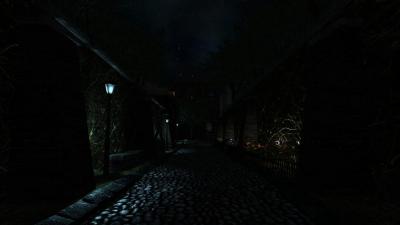
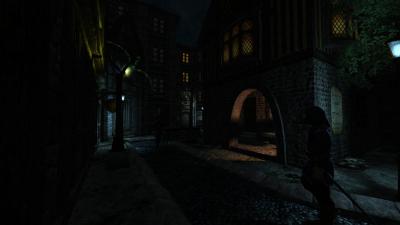
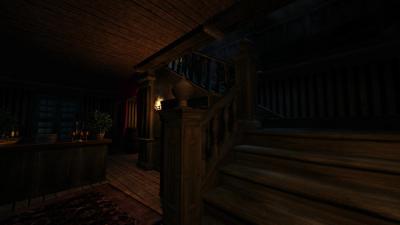
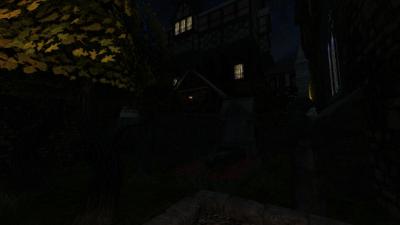
 Author note: It's hard to believe it's already been a year since Act 1 came out! Well during this mission the player will be following Corbin into the Grimwood district to followup on a lead from last night (Act 1) .. the mysterious tablet! This mission is my first time including full EFX support as well as a HD briefing video file, additionally a new script has been added crafted by the talented Obsttorte which has loot flying towards the player when you pick it up. On a level design front I have tried to change things up a bit by really catering towards a number of play styles, this mission can be completely ghosted or you can use the tools at your disposal to wreak havoc on the citizens of Northdale. For the first time I have tried to create more sandbox environments which don't offer clear answers handed directly to you, so if you're having trouble figuring something out try a different method. This mission takes between 1 - 2 hours to finish depending on the difficulty you play on and how thoroughly you explore. I hope you enjoy your night in Northdale! - Goldwell Voice actors Fen Phoenix Goldwell Random_taffer Yandros Beta testers Amadeus Boiler's Hiss Cambridge Spy Chakkman Crowind Epifire Kingsal SquadaFroinx Custom Assets Andreas Rocha DrK Epifire Grayman Kingsal MalachiAD Obsttorte Sotha Springheel SquadaFroinx Purgator With special thanks to Epifire for creating a large collection of custom models, Grayman for helping out with coding, Kingsal for drawing the ingame map and Moonbo for his script revision on the briefing video. Available via in-game downloader MIRROR File Size: 417 mb EDIT: If you are having performance issues please consult this post by Nbohr1more which may address your issue http://forums.thedarkmod.com/topic/19936-fan-mission-shadows-of-northdale-act-ii-by-goldwell-20190320/page-2?do=findComment&comment=436271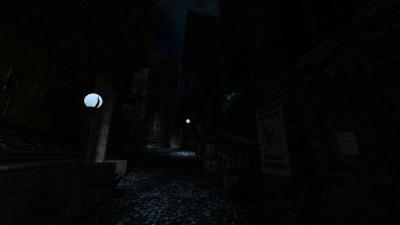
-
so updated info on my setups. mainboard asus rog stric x570-e gaming with a ryzen 3700x (will be upgraded to either a 5900x or 5800x3d), 32 gb DDR4 ram. gfx card radeon RX9070XT 16 gb. 10tb storage space with 2x nvme pcie 4 the rest of the storage is divided on several ssd's. this is my main gamer. mainboard asus x99 deluxe with a 6950x broadwell, 32 gb DDR4 ram. gfx card geforce 3070 8 gb. 4tb storage space 1 nvme 2tb pcie3 and 2 1tb mechanical harddrives. used mostly for development. mainboard asus x99-AII with a 6800k broadwell and 16gb DDR4 ram. gfx cards 2x geforce 560 ti in SLI. storage space 3 tb. main drive is a 2tb ssd as well as 2x 512gb mechanical harddrives. used for retro gaming (OS is win7 32 and 64 bit). mainboard asrock z97 extreme6 with a 4790k devils canyon cpu, 32 gb DDR3 ram. gfx card is a radeon RX5700XT 8gb. storage is 1 128gb nvme 2x 512gb mecahnical drives and 1 512gb ssd. used for streaming mostly though it handles games quite well as long as they dont use raytracing or mesh shaders. lot of asus boards though i have to say the asrock setup runs really well despite it being a quad core.
-

Fan Mission: Scroll of Remembrance, by MirceaKitsune (03/11/2020)
chakkman replied to MirceaKitsune's topic in Fan Missions
ThiefGuild has some tags: https://www.thiefguild.com/fanmissions/?advanced_search=&series=&collection=&table=&page=&works=&work_lists=&sort_by=newest&search=&games=5&released_from=all&released_to=all&genre=all&original_games=fms Not sure how complete or accurate those are, after all either the author or users add the tags to the missions. -
What are the Darkplaces and Xonotic bannings intentions and effects on Mircea Kitsune? What did the Admins intend by doing this?: They intended to leverage their power against Mircea Kitsune by forstalling, hindering, and expropriating Mircea's: 1) Ability to communicate with other programmers 2) Access to own code, and the network effect of an ever-rising tide of collaboration regarding it. (I fix something, and add something: forth from this someone else then is inspired to add something and does so Then I am inspired again to do the same, we talk, collaborate all is well etc) This is effectivly ended by the bannings: Where once there was quick and effective collaboration: there won't be anymore. 3) Freedom to speak as one wishes about what one wishes: This freedom is put into question via the admins who use their position to judge and place sanctions against those programmers who believe and talk about things elsewhere that they do not like: These Admins do this with the implied and often expressed intention to punish the programmer for the views and beliefs the programmer has, aswell as to punish them for their spoken or written expressions of those beliefs or feelings. 4) Shaming and casting the programmer in a bad light: "We don't like him, you shouldn't either (and if you do you may be banned next [implied])" Possible Tort of False Light, and Libel. These are points of leverage these Admins use against the Programmer And have used against Mircea Kitsune. They knew what they were doing. They did not like Mircea's speech and ideas: So they took away from Mircea something dear:9 Taikoi's life work. Slandered it. Shown a Hard Light on Mircea so other deveoplers would not work with them. Converted it to their property (they use it to this day) while casting Mircea into the wilderness They claim it is their absolute RIGHT to do so: To 1) Induce people into working for them under claims of "only the code matters" "freedom of speech" so on and so forth "we will all work together and achive" To then: 2) Catalogue, Critique, and the Censure and Censor the speech of the programmers doing the work. And then: 3) Take the programmers work; while banning the programmer effectivly from furthur collaboration: violating the initial implicit and (often) explicit initial utterances (fraud in the inducement) They claim it is their Right. But that might not be the case. They have the power. Yes: they have shown that. But they might not have the Right as they assert.
-
 "When the leaves change and the air is still, there is a quiet." -Lady Blackbriar -=| DISPLACEMENT |=- BY AMADEUS & WELLINGTONCRAB = DOWNLOAD = <( | )> -REQUIRES TDM 2.14- -JOIN THE BETA NOW- "Seek not the prideful sin that is perfection The Builder's light shines through all flaws. It is His wisdom to recognize a thing is done Before it is ever truly finished." -St. Edgar's Sermon of Rust LAMPFIRE HILLS... They say the woods around here give the tourists bad dreams, but I don't mind. I like it here. I feel like a piece of me belongs here. ... That it fits. DISPLACEMENT is a medium-sized traditional manor mission with a highly variable playtime. *2.14 provides a number of improvements to gameplay, performance, and stability. It is strongly encouraged to play on the latest 2.14 beta release. Join in testing now!* *Mods such as the “Unofficial Patch” and “TDM Modpack” are not supported by this mission and should be used at your own risk* https://www.thiefguild.com/fanmissions/97429/displacement CREDITS: ADDITIONAL MUSIC: -AIRSHIP BALLET -GIGAGOOGA ADDITIONAL SCRIPTING: -DRAGOFER -OBSTORTTE -FROST SALAMANDER -KINGSAL ADDITIONAL ASSETS: -KINGSAL -TDASH -SKACKY -BIKERDUDE -GOLDWELL -EPIFIRE -STRUNK -SHANNEN ART -POLYHAVEN -TEXTURES.COM -SKETCHFAB CULTURAL HERITAGE CC0 COMMUNITY -LOISTE INTERACTIVE -COLINFIZGIG -CDMIR BETA TESTERS: -KINGSAL -GOLDWELL -MAT99 -FROST SALAMANDER -MIKE A -STGATILOV -STIFU -MARBLEMAN -DETEEFF -THEBIGH FURTHER ACKNOWLEDGMENTS: -STIFU FOR HIS EFFORT IN FIXING THE NOTORIOUS STUCK AI AND ARROW CRASH BUGS. -STGATILOV WHO MADE A NUMBER OF 2.14 OPTIMIZATIONS AND BUG FIXES. -KINGSAL FOR PROVIDING SOME OF THE MAIN MENU GUI ASSETS -PURAH FOR ORIGINATING THE SETTING OF LAMPFIRE HILLS, REIMAGINED HERE, IN HIS THIEF FMS. -GUY-ON THE COUCH AND JAM61 FOR THEIR SILENT HILL COMMUNITY MAPS WHICH HEAVILY INSPIRED THE LAMPFIRE HILLS REGION MAP. -SPECIAL THANKS TO LOISTE INTERACTIVE FOR ALLOWING US TO USE ASSETS FROM THEIR GAME "INFRA." SOME ADDIITONAL DETAILED LICENSING INFORMATION: SOME NOTES ON PERFORMANCE: NOTE TO MAPPERS: MOST OF THE NEW ASSETS IN THE MISSION ARE INCLUDED IN 2.14
- 511 replies
-
- 34
-

-

-
Looks like we need one of these. Use this to post images or teasers of whatever you happen to be working on at the moment. Sharing feels good, and can inspire other people to keep working on their own maps. Use spoilers if appropriate!
-
Agree with this sentiment 100 percent. Just come ask for help on these forums before asking chatgpt there are tons of knowledgeable folks here, especially those who know how materials work
-
one bummer with gemrb is that it does not support lua scripting so you cannot use the infinity enhancer with the engine meaning no or only non lua based mods. the upside is we have the source code so this could be added if wanted (not sure how much work it sould take though). it also uses a non standard way of loading since the engine can run a plethora of infinity engine games (the originals) so it can be used both from the gamedir (if you only have one infinity game) and outside it (if you have several). the engine seems to use python scripting instead of lua which considering it started of as an attempt to make a linux version of the infinity game engine for running them natively makes a whole lot of sense. linux itself makes heavy use of python.
-
For the people eager to play with the latest state of development, two things are provided: regular dev builds source code SVN repository Development builds are created once per a few weeks from the current trunk. They can be obtained via tdm_installer. Just run the installer, check "Get Custom Version" on the first page, then select proper version in "dev" folder on the second page. Name of any dev version looks like devXXXXX-YYYY, where XXXXX and YYYY are SVN revision numbers from which the build was created. The topmost version in the list is usually the most recent one. Note: unless otherwise specified, savegames are incompatible between any two versions of TDM! Programmers can obtain source code from SVN repository. Trunk can be checked out from here: https://svn.thedarkmod.com/publicsvn/darkmod_src/trunk/ SVN root is: https://svn.thedarkmod.com/publicsvn/darkmod_src Build instructions are provided inside repository. Note that while you can build executable from the SVN repository, TDM installation of compatible version is required to run it. Official TDM releases are compatible with source code archives provided on the website, and also with corresponding release tags in SVN. A dev build is compatible with SVN trunk of revision YYYY, where YYYY is the second number in its version (as described above). If you only want to experiment with the latest trunk, using the latest dev build gives you the maximum chance of success. P.S. Needless to say, all of this comes with no support. Although we would be glad if you catch and report bugs before the next beta phase starts
- 35 replies
-
- 15
-
-
-
 @datiswous: How can I install the 3.10 flatpak from Klaus? If I use the flatpak install command, I get an error saying the command is not known...?
 -
yeap groan... allways the working man who gets shafted. alan wake and control mostly because it still caters to a not to major audience. i also like the twin peaks similarities . not doing to well atleast after the massive failures with anthem etc. thats for sure. also a lot of the original talent left some of them are now working on exodus so i look forward to that atleast. ah the opensource infinity engine clone yeah i know it. sadly it does not yet handle baldurs gate 1/2 enhanced edition but work is ongoing on it as far as i could see. does load the game but the ui is messed up and it spews lots of errors. id love to see someone use it to make a refurb of the baldurs gate series where you can actually scroll in on your character without them looking like an ugly blob . as for when the gaming industry started feeling a bit to corporate hmm might have started even earlier than the PS3 but atleast its as good a time slice as any. atleast back then we still got the occasional pearl among all the rotten clams . to bad the stink spreads...
-
I don't know who has what skillset, as I am still pretty green on the forums. However, I do know that shader development does require some voodoo black magic! I understand the fundamentals of shaders, but understanding the basic how and why is very, very different from creating them.
-

Full VR support for The Dark Mod, new bow, climbing mechanics and more!
freyk replied to JAKE's topic in The Dark Mod
Nice work! Is there a build/code that other users can download and try? Please merge back the code with TDM VR, see topic: https://forums.thedarkmod.com/index.php?/topic/20468-the-dark-mod-vr-210-alpha-is-now-available/ === Reddit topic: link Video of JAKE's work: -
For more info, read this topic: https://forums.thedarkmod.com/index.php?/topic/23261-i-made-full-vr-support-for-the-dark-mod-new-bow-climbing-mechanics-and-more/ He based his code of TDM VR, so I referred him to this topic.
-
Custom loops can deliver outstanding cooling potential but also comes with a few downsides. For one if you are new to it mistakes in assembly can and many times will end with a dead pc and liquid all over the place. They also need to be keept clean and no you can not use water directly from a faucet due to it depositing all kinds of nasty stuff in the cooler head (must use demineralized water). You also need to add special additives to the water that keeps algae away as well as prevent to much evaporation. If the pump runs dry it will in most cases be busted and you will need a new one. Also moving a custom loop means you have to emty it beforehand which makes it a bit of an annoyance. AIO's remove the need for 90% of the above but also come with problems such as no easy way to refill them (though a few models have started adding a refill cap). Air is ok but also has problems like the noctua nh-d15 which is so big that it is literally hell to get your gfx card out if it is situated in the top pcie slot. This also appends to changing ram.
-
 Today I am happy to announce the release of my first FM for The Dark Mod. After 6 years of using this lovely game creation engine, I'm finally able to contribute my own project for it! It took roughly two weeks of non-stop work to do everything from start to end... there's always some little detail to come back to when mapping, thus there were a few little things left out to prioritize others, but at the end of the day this came out almost exactly as I envisioned it. In this mission you play as the typical professional thief. You've been hired to retrieve a scroll containing forbidden knowledge from the mansion of a wealthy noble, put there by the builder church who is close to its owner and found it a more suitable spot. A banquet is being thrown by the lord who owns the mansion which is the perfect opportunity to make your move. Nothing out of the ordinary: You're to retrieve this scroll and get paid for your work... simple, right? Notice: Performance in some areas may be poor. I optimized the lighting setup as much as possible, trying to use as few long range light sources as I could. To achieve the desired theme however I had to leave parts of them map relatively open. Hopefully this won't be a hindrance to anyone... if it is you may need to lower some graphical settings. For people who don't like surprises and may be sensitive to certain themes, read the spoiler below. If you're okay with anything don't as it will ruin the experience! For people who are stuck and don't know how to proceed, instructions are provided in the spoiler below. Only read them if necessary. A tip that needs no spoilers: The key in this FM is exploration and reading everything carefully. There are secrets to be found: Always look everywhere and closely at everyone! I'm eager to hear what your experience with this FM is. Use spoilers when referring to specifics, but do let me know what your thoughts are! Especially with this being my first FM I could use tips, including technical ones if you look at the map in DarkRadiant. Here are a few screenshots of the main areas (intended for the installer): And finally the download links. Unzip and place the main directory inside your fms folder, this should get it to show up in the mission list. Mirror 1 Mirror 2
- 47 replies
-
- 11
-
-
-
The still ongoing Windows 10 topic sparked my curiosity why people do not just switch to Linux. But users of other OSes are also allowed to vote.
-
Have you tried Pillars of eternity? I recently bought part 2. They look similar to the BG games but with improvements. They also now support a good working turn based mode (this is the main reason I got part 2, because I could never get over the realtime with pause mode). I recently thought: "Hey, let's try Heroes of might and Magic 4 again". I found I don't have it on Steam or Gog, so I had to install it from dvd-rom, then installed high resolution fix. It took a bit of work to get it working on Linux via Lutris. I like it a lot. It's quite adicting. I especially like the heroes that you can use inside the battle. That is so much more fun and they can become super powerful over time. You can also have multiple heroes in one army which is cool.
-
only really relevant if going for intels HEDT platform with 4 paired ones . non HEDT boards actually run better with just 2 sticks. HEDT actually runs ok with just 2 sticks as well, only downside is you dont get to use the quad pumped architecture which gives faster memory throughput. upside to HEDT is that you can use some pretty slow and cheap 2133 mhz modules (faster sticks tend to make it unstable) because they are run in 4x data rate mode compared to 2x which most boards use. but if you run it with 2 sticks you can use faster and bigger sticks (there is still a limit though). for x99 a 3200 mhz 16gb stick is pretty much the ceiling before it refuses to post (officially the speed limit is 2666 mhz but i tried with 2x 3200 mhz sticks in mine and it runs just fine as long as i dont run it in quad channel mode. it depends on the board though), i would guess x299 could use 3600 mhz or higher if run with two sticks (ok checked it can go as high as 4133 mhz sticks but these are seriously expensive so ouch).
-
This year I’ve experienced more gaming burnout as many as 4–5 times in < 7 months. I’m facing more and more dilemmas when it comes to hardware: either buy a S+ and A-tier GPUs, but I don’t really use them much, or I could stick with an entry-level GPU for now but i'd would get a nagging feeling to try more games in the future. But lately I’ve been focusing more on the hadrware internal “pipeline” itself. Aside from my busy schedule, side hobbies like woodworking are actually my dream. In addition to woodworking, I’m also into wood carving (inspired by traditional furniture carvings I’ve discovered from various regions). If I ever retire, I want to pursue those two things, i also want tinkering with more analog devices and raising ducks in backyard.
-

Rotation by defined degrees
Bikerdude replied to Spooks's topic in DarkRadiant Feedback and Development
https://bugs.thedarkmod.com/view.php?id=4496 - Does anyone still use this method..? -
-

Besides the red light, I hope they add features like the YLOD on the PS3 or the BLOD on the PS4
Hopefully it"ll never say, “I’m sorry, Dave, I’m afraid I can’t do that,” when the red light comes on
-

HL3 when
-

World War 3 when
-